Is There Really a 'Best SEO App for Shopify'?
We Tested the Top Contenders
-
 By
Mike
By
Mike
- Updated: July 17, 2026
- 15 min read
-
By
Mike
- Updated: July 17, 2026
- 15 min read
There is no universal best SEO app for Shopify in 2026. SEO HERO: AI Audit Tool is the strongest fit for merchants who need store-wide audits, Google Search Console data, keyword assignment, AI bulk fixes, and rollback. TinySEO is better for image-heavy stores; Smart SEO for broad all-in-one automation; Tapita for technical SEO and speed; Yoast for content-led stores; and SEO HERO AI Alt Text Generator for focused alt-text automation.
The right choice depends on the problem you are trying to solve. A store with 5,000 unoptimized product images needs a different tool from a store with strong product pages but weak blog content. The best Shopify SEO app is the one that solves your highest-impact bottleneck without creating unnecessary cost, overlapping features, or storefront bloat.
Disclosure: Designful Inc., publisher of this article, develops SEO HERO: AI Audit Tool, SEO HERO AI Alt Text Generator, and SEO HERO AI Meta Tag Generator. We evaluated these apps using the same criteria applied to every other tool in this comparison.
Quick Comparison: The Best Shopify SEO Apps for 2026
Ratings, review counts, features, and pricing below were verified on Shopify App Store listings on July, 2026. Review counts and prices can change, so recheck them immediately before publication.
| App | Best for | Free option | Starting paid price | Rating and reviews | Main strength | Main limitation |
|---|---|---|---|---|---|---|
SEO HERO Audit Tool | Store-wide audits and AI bulk fixes | Free plan | $14/month | 5.0 from 19 reviews | 13+ checks per page, Google Search Console, keyword assignment, bulk fixes, history and rollback | Not a dedicated image-compression or backlink-analysis tool; formal reporting remains limited |
TinySEO | Image-heavy stores and speed optimization | Free to install | $14/month | 5.0 from 2,198 reviews | Image compression, resizing, alt text, speed tools, redirects, metadata and JSON-LD | Broad feature set can feel overwhelming; advanced features require paid plans |
Smart SEO | Balanced all-in-one SEO automation | Free plan | $14.99/month | 4.9 from 883 reviews | Meta and alt tags, images, page speed, JSON-LD, broken links, backlinks and multilingual support | Higher tiers add up, and many stores will not use every feature |
Tapita | Technical SEO, schema and speed | Free plan | $9.99/month | 5.0 from 2,440 reviews | Audits, speed optimization, schema, bulk metadata, broken-link redirects and GSC support | Pricing can increase with the merchant’s Shopify plan; the feature set takes time to learn |
Yoast SEO | Shopify blogs and content-led stores | 14-day trial | $19/month | 4.7 from 154 reviews | Readability, content guidance, SEO analysis, structured data and integrations | No free plan, English interface, and less suited to large-scale ecommerce automation |
SEO HERO AATG | Dedicated image alt-text automation | Free to install | $5/month | 4.9 from 150 reviews | Bulk alt text with image context, keywords, custom prompts, automation and backup | Single-purpose tool; does not replace a full audit, metadata, schema or speed app |
What Shopify Already Handles Without an SEO App
Before installing another app, understand what Shopify already gives you. Shopify creates an XML sitemap, supports editable title tags and meta descriptions, generates canonical tags for standard storefront pages, provides SSL, and lets you add alt text to product images. Most modern themes also include a basic level of product structured data.
Quick check: Go to Online Store → Preferences in your Shopify admin. You'll find meta title and description fields right there. No app required.
Those foundations are useful, but they do not remove the work. Shopify does not give merchants a complete store-wide SEO audit, an easy way to prioritize hundreds of issues, consistent bulk optimization across a large catalog, keyword assignment by URL, or built-in Search Console analysis. Its native tools also do not tell you whether duplicate titles, weak content, missing internal links, stale copy, or poor query targeting are holding back specific pages.
That is where an app can help. A good Shopify SEO tool should reduce repetitive work, show you what matters first, and protect you from risky bulk changes. It should not promise that installing it will automatically improve rankings.
For a complete manual workflow, use the Shopify SEO Checklist before deciding which tasks are worth automating.
What SEO Apps Are Actually Good At
The market has expanded from simple meta-tag editors into broad suites that advertise AI content, AEO, LLMs.txt, schema, speed, audits, keyword research, and automated fixes. The useful capabilities still fall into a few practical groups.
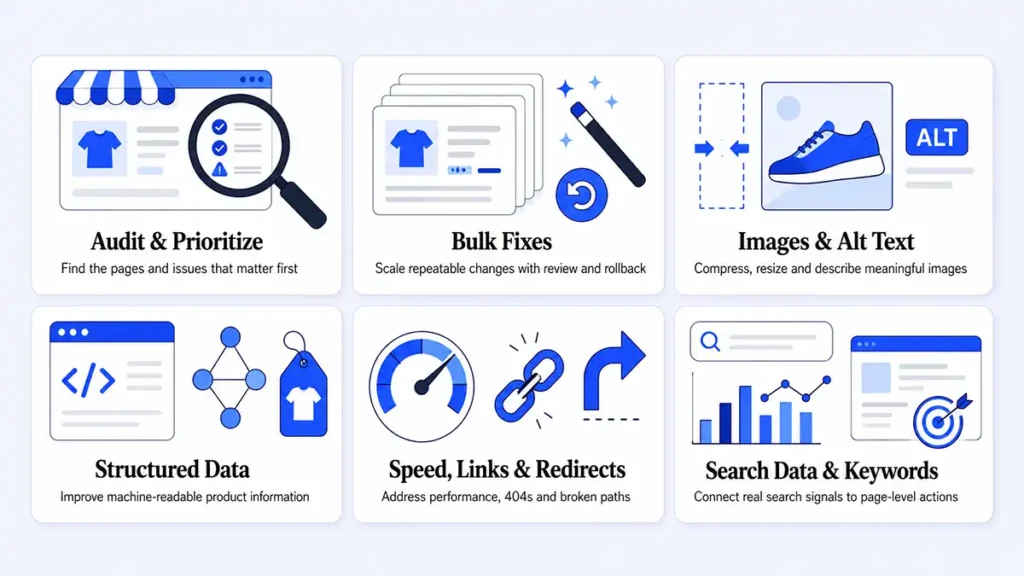
1. Store-wide audits and prioritization
A useful audit app scans products, collections, pages, and content for repeatable problems. The most valuable output is not a long list of warnings; it is a prioritized view of which pages and issues deserve attention first.
2. Bulk metadata and content changes
Bulk tools save time when hundreds of products have missing or duplicated titles, descriptions, headings, or body content. The risk is that automated output can overwrite pages that already rank or create repetitive copy. Preview, history, backup, and rollback matter as much as generation quality.
3. Image optimization and alt text
Image-heavy stores benefit from compression, resizing, filename cleanup, and automated alt text. Image compression can improve load time, while alt text supports accessibility and helps search engines understand meaningful images. Neither is a substitute for strong product content.
4. Structured data and schema
Structured data helps search engines interpret products, prices, availability, reviews, breadcrumbs, and other entities. Many Shopify themes already output basic Product schema, so an app should either improve missing data or add genuinely useful coverage without creating duplicate markup.
5. Technical SEO, speed and redirects
Some apps detect broken links, create redirects, manage 404s, optimize assets, or add speed-related features. These can be valuable, but speed claims should be verified with real Core Web Vitals and template-level testing rather than a single lab score.
6. Search Console and keyword context
Google Search Console shows the queries, impressions, clicks, CTR, and positions your store already earns. An SEO app becomes more useful when it connects those signals to the exact page and suggested fix instead of treating every warning as equally important.
Reality check from merchants: Most SEO apps don’t “do SEO for you.” They help you do repetitive work faster. The wins still come from fundamentals: better product pages, faster UX, and matching what Google shows for your keyword.
Common traps:
- “One-click SEO” promises with little impact.
- Installing an SEO suite that adds bloat and hurts speed.
- Focusing on meta descriptions while ignoring product copy, collections, and speed.
How We Evaluated the Best Shopify SEO Apps
We did not rank apps only by their feature lists. For the original comparison, we installed TinySEO, Smart SEO, Tapita, Yoast, and SEO HERO AI Alt Text Generator on four comparable test stores and ran them for eight weeks. We also interviewed 15 Shopify merchants who had used SEO apps for at least six months.
For the directly tested apps, we reviewed:
- Setup time and onboarding quality
- Ease of use and learning curve
- Audit depth and clarity of recommendations
- Bulk-editing and automation workflows
- Quality of generated metadata and alt text
- Image optimization and storefront-speed impact
- Structured data, redirects, and technical checks
- Support responsiveness and solution quality
- Pricing, limits, and overall value
- The type of merchant most likely to benefit
SEO HERO: AI Audit Tool changed substantially for 2026 and is developed by Designful. To avoid presenting marketing documentation as proof, we verified its current capabilities against the production app configuration, active API routes and workers, live feature registry, persistent integration models, storefront structured-data extension, current product interface, and Shopify App Store listing.
That verification supports describing the following as live: store-wide audits, 13+ checks per page, SEO scores, contextual recommendations, AI bulk fixes, Google Search Console connection and syncing, keyword assignment, change history, rollback, and product-level structured data. We do not describe formal reporting, broad schema coverage, Ahrefs, or DataForSEO as complete live integrations.
Our team has helped stores achieve 329% organic traffic growth. We’ll audit your store and create a custom optimization plan, no generic advice.
Best Shopify SEO App by Use Case
🔍 Best for full-store SEO audits: SEO HERO AI Audit Tool
Choose it when you need to scan a catalog, identify repeated on-page issues, assign keywords, connect GSC performance, and decide what to fix first. Its strongest differentiator is the audit-to-fix workflow with history and rollback. It is less suitable when your main problem is image compression or backlink analysis.
🪄 Best for AI-powered bulk fixes: SEO HERO AI Audit Tool
The Bulk Fix Engine is designed for repeated issues across many products and pages. It lets merchants generate changes at scale while preserving a before-and-after history. AI changes still require review, especially on pages already receiving traffic.
🖼️ Best for image-heavy stores: TinySEO
TinySEO combines image compression, resizing, alt text, filenames, lazy loading, and broader SEO features. It is the strongest fit when oversized images and catalog scale are the main bottlenecks. Test the largest above-the-fold image separately so lazy loading does not hurt LCP.
🏷️ Best for dedicated alt-text automation: SEO HERO AI Alt Text Generator
This is the focused option for merchants who want image-aware alt text, keyword guidance, custom prompts, automation for new products, and backup controls without buying a full SEO suite.
⚖️ Best balanced all-in-one option: Smart SEO
Smart SEO covers metadata, images, page speed, JSON-LD, broken links, backlinks, sitemaps, audits, and multilingual workflows. It is a practical choice for merchants who prefer one established app and expect to use several of those capabilities.
⚙️ Best for technical SEO, schema and speed: Tapita
Tapita offers a broad technical toolset with audits, schema, redirects, image optimization, speed controls, GSC-related support, and AI-assisted metadata. It is powerful, but merchants should review plan-specific pricing and avoid enabling every optimization without measuring the result.
✍️ Best for Shopify blogs and long-form content: Yoast SEO
Yoast remains strongest when content guidance, readability, focus keyphrases, and consistent editorial optimization matter more than catalog-wide automation. Product-only stores may struggle to justify the monthly price.
🆓 Best free Shopify SEO app
There is no single free-plan winner. SEO HERO is the best free starting point for audits and prioritized fixes; Tapita offers the broadest free feature set; TinySEO is useful for limited monthly image optimization; Smart SEO gives beginners a small allowance across several functions; and AATG is the best free focused trial for alt text.
SEO HERO AI Audit Tool
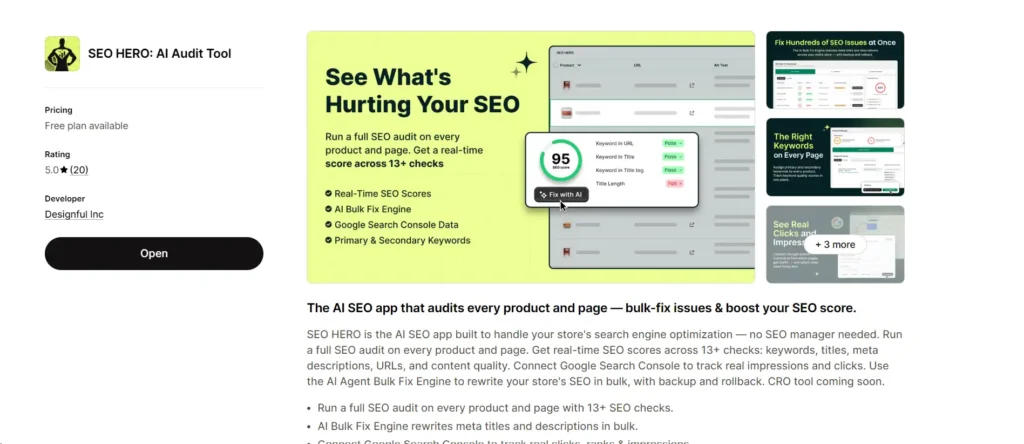
SEO HERO: AI Audit Tool is built for merchants who know their store has SEO problems but do not know which pages or fixes should come first. It combines page-level checks, a store-wide score, keyword management, real Search Console data, AI-generated fixes, bulk execution, and a reversible change history.
What it does
The app audits products and pages across more than 13 on-page SEO checks. The current live registry includes checks for primary and secondary keywords, missing and duplicate titles, keyword placement in titles, H1s, H2s, URLs, meta descriptions and opening paragraphs, content length and freshness, duplicate body content, weak value propositions, social preview metadata, messy or overlong handles, internal links, and structured-data signals.
It then turns those findings into a workflow: identify a problem, review the recommendation, generate a fix, apply it individually or in bulk, and keep a record of the original and updated value.
Google Search Console and keyword management
The live GSC integration uses OAuth and scheduled syncing to import pages, queries, clicks, impressions, CTR, positions, daily metrics, keyword suggestions, and sync history. This matters because a page with impressions and a weak CTR deserves different treatment from a page that has never been shown.
The Keyword Manager lets merchants assign primary and secondary terms to individual products and pages. Those assignments then inform audits and AI-generated changes, reducing the chance that every page receives generic copy.
Bulk fixes, history and rollback
Bulk Fix is the app’s most useful feature for larger catalogs. Merchants can filter issues, select affected pages, generate fixes, and track queued, running, completed, or failed jobs. The current production app includes a change-history workflow and revert endpoints, with retention varying by paid plan.
That safety layer is important. Bulk optimization can save days, but it can also damage pages if the output is accepted without review. SEO HERO gives merchants more control than a one-click overwrite workflow, but it does not remove the need for human judgment.
Structured data: live, but narrower than a schema suite
Structured data is live for product pages through a Shopify theme app extension and a product metafield. The current implementation renders product JSON-LD and supports product-schema enhancement. It should not be described as broad schema coverage for collections, articles, organization, FAQ, reviews, or shipping across every template.
A merchant who mainly needs advanced schema may be better served by Tapita, Smart SEO, or a dedicated schema app. A merchant who wants audit findings, keywords, GSC context, and bulk fixes in one workflow will get more value from SEO HERO.
Pricing
The current Shopify listing shows:
Free: unlimited-product audits, 100 AI credits per month, 13+ checks, Bulk Fix Engine, and AI keyword research
Lite: $14/month, 500 credits, 15-day history and rollback, and GSC
Essential: $39/month, 1,500 credits, 30-day history and rollback, and GSC
Advanced: $99/month, 5,000 monthly credits, 90-day history and rollback, and GSC-assisted auto-fixes
The listing marks the CRO tool as coming soon. It should not be presented as a live capability.
Best for
- Small and mid-sized Shopify stores with growing catalogs
- Merchants who need a clear SEO score and prioritized issues
- Teams that want GSC data tied to page-level work
- Stores with repeated metadata, content, keyword, URL, or internal-link problems
- Merchants who need bulk changes with a reversible history
Not ideal for
- Stores that only need image compression
- Merchants looking for a full backlink-analysis platform
- Teams requiring a polished agency reporting suite
- Stores that need broad schema coverage across every content type
- Anyone expecting an app to replace keyword strategy, content planning, links, or technical development
Pros
- Store-wide audits with 13+ checks per page
- Actionable SEO scores and issue-level recommendations
- AI-assisted individual and bulk fixes
- Live Google Search Console integration
- Primary and secondary keyword assignment
- Before-and-after history with rollback
- Free plan and unlimited-product audit coverage
- Product structured data is live
Limitations
- AI output still needs human review
- History retention and advanced workflows depend on plan
- Product schema coverage is narrower than dedicated schema tools
- Formal reports are not yet a production-grade reporting module
- Ahrefs and DataForSEO should be treated as legacy/manual or future, not active integrations
- It does not replace image compression, backlink analysis, content strategy, or development work
Verdict
SEO HERO AI Audit Tool is the best option in this comparison for merchants whose first question is, “What is wrong with my store, which pages matter, and how can I fix repeated issues safely?” It is not the most complete all-in-one app, and it should not be ranked first for images, broad schema, or content writing. Its advantage is connecting audit depth, real search data, keyword targeting, bulk execution, and rollback in one Shopify-native workflow.
Tiny SEO Speed Image Optimizer
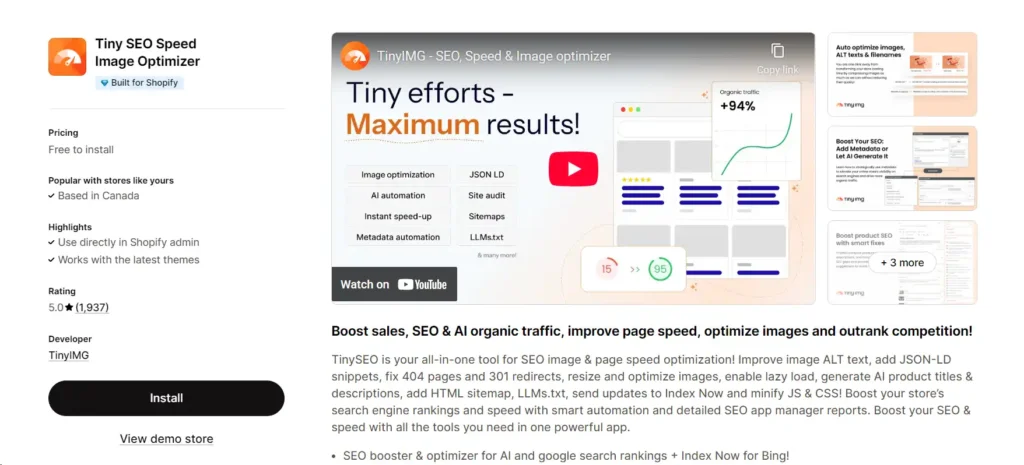
TinySEO remains one of the strongest Shopify SEO apps for stores with large image libraries. Its core image tools include compression, resizing, backups, alt-text and filename optimization, lazy loading, and PageFly image support. The broader suite adds metadata generation, JSON-LD, broken-link detection, redirects, GSC, sitemaps, indexing tools, audits, and speed controls.
In our testing, image files were reduced by an average of 35% without noticeable visual degradation. That is a meaningful win for stores that upload large product photography. The AI-generated metadata was less consistent: roughly 60% was usable without substantial editing, while the remainder needed work to match the product, brand voice, or search intent.
The main risk is complexity. TinySEO has expanded far beyond image compression, and new users can easily enable more than they need. Start with a limited batch of 20 to 50 images, compare quality, and measure product-page LCP before rolling changes across the store.
Best for
- Fashion, furniture, art, beauty, food, and other image-heavy catalogs
- Merchants who want image optimization and a broader SEO suite in one app
- Stores that need broken-link, redirect, metadata, sitemap, and schema tools alongside images
Limitations
- The expanding feature set can overwhelm beginners
- Advanced GSC, metadata, redirect, audit, and speed features require paid plans
- Lazy loading must be configured carefully around above-the-fold images
- AI metadata still requires review
Verdict
TinySEO is the best image-first option in this comparison. Its broader SEO features can reduce the need for separate apps, but merchants should resist turning on every feature at once.
Sherpas: Smart SEO
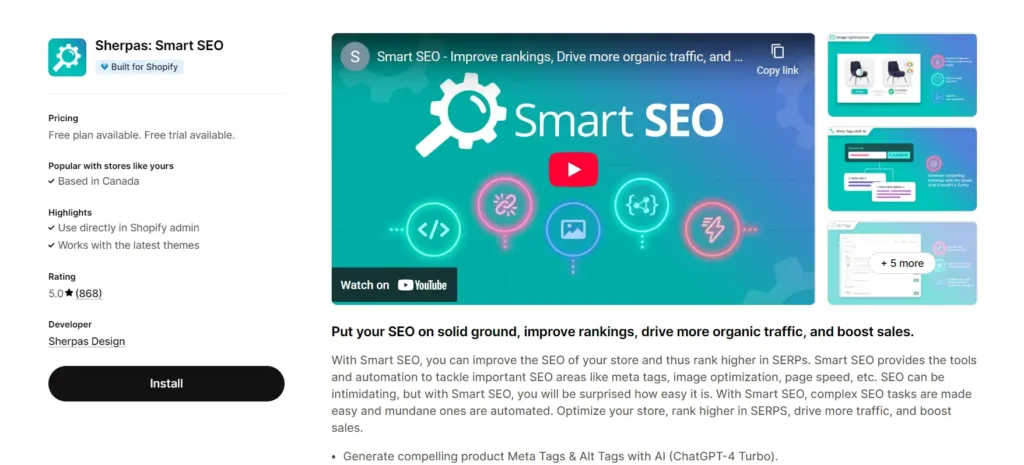
Smart SEO is the most balanced all-in-one option in this group. It covers AI-generated meta and alt tags, image compression and backups, filenames, page speed, JSON-LD, sitemaps, noindex controls, broken links, redirects, backlinks, audits, and multilingual workflows.
The interface makes advanced tasks more approachable than many technical tools, and the app supports a wide range of languages and review platforms. The broken-link scanner was particularly useful in our tests, catching issues that were easy to miss during manual review.
Smart SEO’s strength is breadth, but breadth is also the tradeoff. The free plan has small limits, and meaningful automation starts at the paid tiers. Stores that only need metadata or images may pay for features they do not use.
Best for
- Merchants who want one established app for several SEO workflows
- International stores that need multilingual support
- Stores that need metadata, images, JSON-LD, broken links and backlinks in one interface
- Beginners who want guidance without giving up advanced controls
Limitations
- The paid tiers become more expensive as audit and automation needs grow
- Some capabilities overlap with Shopify themes or existing apps
- Stores should validate existing schema before enabling another JSON-LD source
Verdict
Smart SEO is the best general-purpose choice for merchants who want broad coverage and prefer one mature app over a stack of specialized tools.
Tapita AI SEO Optimizer, Speed
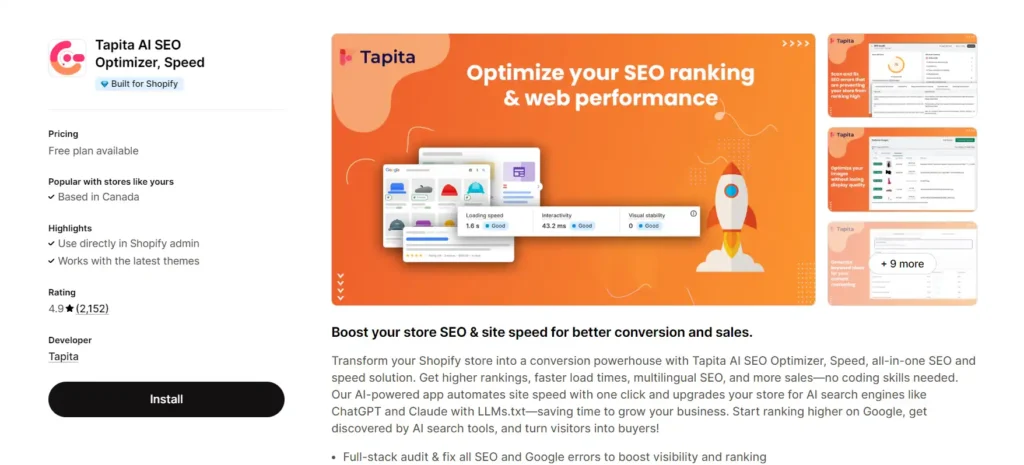
Tapita takes the most technical all-in-one approach of the apps reviewed here. Its current listing includes unlimited on-page audits on the free plan, JSON-LD, image compression, bulk metadata, alt text, speed optimization, broken-link redirects, keyword research, GSC-related support, multilingual SEO, backlinks, reporting, and AI-guided prioritization.
Its audit reports are detailed without requiring a professional SEO background. On our test stores, Core Web Vitals improved noticeably after configuration, but Tapita required more setup and manual validation than TinySEO. Treat speed features as controlled experiments: test the homepage, a collection, a product, and a blog page separately, then compare field data where available.
Tapita’s pricing requires attention. The Basic and Pro plans can include surcharges based on the merchant’s Shopify plan, and additional audit pages or AI credits may cost more. That does not make the app poor value, but it makes the real price less simple than the headline monthly fee.
Best for
- Stores with technical SEO, schema, broken-link, speed, and GSC issues
- Merchants who want a broad free starting point
- Teams comfortable reviewing and testing technical changes
- Stores that value access to hands-on support for SEO and GSC problems
Limitations
- The interface and breadth create a learning curve
- Pricing can increase based on Shopify plan and usage
- Speed changes need before-and-after validation
- Merchants should check for duplicate schema and overlapping optimization apps
Verdict
Tapita is the best fit for merchants who want a technical SEO and speed toolkit and are willing to spend time configuring and validating it.
Yoast SEO for Shopify
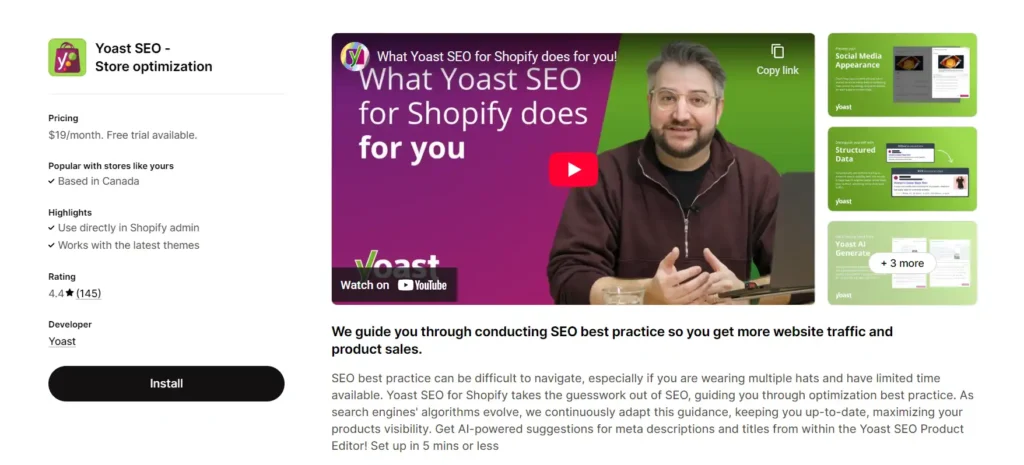
Yoast’s Shopify app is strongest when a store publishes guides, articles, and educational content. It provides SEO and readability analysis, AI-assisted title and description suggestions, structured data, technical SEO improvements, a content overview, bulk-editor import/export, and integrations with review, translation, and SEO platforms.
The familiar traffic-light guidance helps non-specialists improve consistency. It is useful for teams that need an editorial checklist while writing, especially when blog content contributes meaningfully to discovery and revenue.
The weakness is ecommerce scale. Yoast does not offer a free plan, the interface is English, and the workflow is less focused on mass product optimization than the audit and automation apps above. Some merchants also find the CSV-oriented bulk workflow less convenient than direct in-app editing.
Best for
- Shopify stores with active blogs, guides, and long-form content
- Teams that value readability and editorial guidance
- Merchants already familiar with Yoast on WordPress
- Stores using supported review or multilingual integrations
Limitations
- $19/month with no free plan
- Less suited to bulk catalog cleanup
- English interface
- Not an image-compression or speed-optimization tool
Verdict
Yoast is the best content-optimization app in this comparison, but it is difficult to justify for a product-only store that rarely publishes long-form content.
SEO HERO AI Alt Text Generator
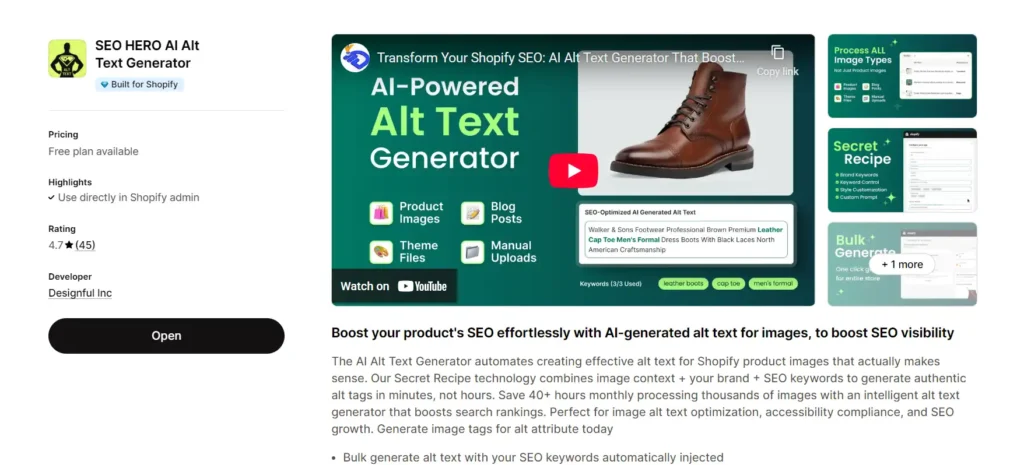
SEO HERO AI Alt Text Generator is the most focused tool in this comparison. It analyzes product images and product context, then generates descriptive alt text using brand instructions, target keywords, custom prompts, and formatting rules.
The current app supports bulk processing, detection of missing alt attributes, keyword injection, custom brand voice, automation for new products on higher plans, and backup and restore. The official listing also describes support for store images beyond the main product gallery, while the Shopify App Store interface language is English.
In our testing, the output was more natural and product-specific than generic caption generators. The free allowance is large enough to spot-check whether the descriptions correctly identify product type, material, color, view, and context before committing to a catalog-wide run.
Best for
- Stores with hundreds or thousands of missing image alt attributes
- Merchants who want a dedicated, lower-cost workflow
- Catalogs where accessibility and image-search visibility matter
- Teams that want keyword and brand controls without a full SEO suite
Limitations
- It only solves image-alt-text work
- It does not audit titles, metadata, content, internal links, schema, redirects, or speed
- Generated descriptions still need spot checks for factual accuracy
- The analytics dashboard is marked coming soon and should not be presented as live
Verdict
AATG is the best dedicated alt-text tool in this comparison. It is ideal when image descriptions are the bottleneck, but it should be paired with a broader audit process when the store has other SEO problems.
For metadata-only automation, Designful also develops the SEO HERO AI Meta Tag Generator, which is not ranked as a separate contender in this six-app comparison.
Let’s look at your store together. We’ll identify the specific gaps you need to fill, and whether an app can help or you’re better off with process changes.
Can One Shopify SEO App Do Everything?
Usually not. The broadest apps can cover audits, metadata, images, schema, redirects, and speed, but they are rarely best in every category. Specialized apps can produce better workflows for one task, while an audit app can help you decide whether that task is important enough to automate.
The safest stack is usually:
- One source of truth for auditing and prioritization
- One primary app for the store’s biggest repetitive bottleneck
- Google Search Console for measurement
- As little overlapping storefront code as possible
Do not install three apps that all output Product schema, rewrite the same metadata, or inject competing speed scripts. Choose ownership for each function and document it.
Interactive: Find your ideal SEO App
Not sure which approach fits your store? Answer these four questions, and we’ll give you a personalized recommendation.
Find the app that fixes your bottleneck
Four questions. We match you to the one job an app can actually do for your store — or tell you when you don't need one.
Answer all four questions to continue.
When You Might Not Need an SEO App
An app is not automatically necessary. You may be better off with Shopify’s native tools and a disciplined checklist when:
- The store has fewer than 50 products and manual editing is realistic
- The main issue is weak product positioning, copied descriptions, or poor merchandising
- Search Console is not connected yet
- The theme is slow because of design, scripts, or app bloat
- The store needs keyword strategy, content planning, digital PR, or backlinks rather than more automation
- Several installed apps already overlap
One merchant we interviewed summarized it well:
"I tried a few different SEO apps. You know what actually moved the needle? Writing better product descriptions, fixing my site speed, and building a handful of quality backlinks. The apps were just... noise."
— Shopify merchant, 2 years in business
Apps accelerate execution. They do not replace a strategy, good products, useful content, clear site architecture, or authority.
When the problems require strategy or development rather than software, review Designful’s Shopify SEO services instead of adding another app.
A Safe 30-Minute Baseline Before Installing an SEO App
- Open Google Search Console and check indexing for the homepage, top collection, top product, and top article.
- Export the queries and pages that already earn impressions.
- Run PageSpeed Insights on the homepage, one collection, one product, and one article.
- Validate product structured data and check whether the theme already outputs JSON-LD.
- Review the top 20 landing pages for duplicate titles, weak descriptions, thin content, missing internal links, and image weight.
- Name the one workflow you want an app to improve.
- Record the baseline before changing anything.
Then install one app, test on a limited group of pages, and compare results after Google has recrawled the changes.
How to Choose the Right Shopify SEO App
Choose based on the bottleneck, not the feature count
A 40-feature app is poor value if you only use image compression. A focused $5 tool can be better when it solves the exact repetitive task slowing down the team.
Protect pages that already perform
Do not bulk-rewrite every title because an app flags a length warning. Pages with impressions, clicks, or page-one rankings deserve individual review. Missing metadata on low-performing pages is a safer place to start.
Check whether the app changes storefront code
Some SEO apps operate mainly inside Shopify admin; others add theme extensions, schema, scripts, lazy loading, or asset changes. Record what is added, measure speed, and keep a rollback path.
Review AI output before publishing
AI-generated metadata and copy should be checked for product accuracy, unsupported claims, repetition, keyword stuffing, brand voice, and search intent. The fastest workflow is generate, filter, review, approve, and then measure.
Recheck pricing and limits
Shopify SEO app prices often depend on image count, AI credits, page quotas, catalog size, Shopify plan, or annual billing. Compare the real cost for your catalog rather than the lowest advertised price.
The Bottom Line
The best SEO app for Shopify in 2026 depends on the job:
- SEO HERO: AI Audit Tool for store-wide audits, GSC context, keyword assignment, AI bulk fixes, and rollback
- TinySEO for image-heavy stores and image-led speed improvements
- Smart SEO for balanced all-in-one automation
- Tapita for technical SEO, schema, GSC assistance, and speed
- Yoast for blogs and content-led optimization
- SEO HERO AI Alt Text Generator for focused alt-text automation
Start with the problem, not the app. Fix crawl and indexing blockers before polishing metadata. Prioritize pages that already earn impressions. Use automation for repeated work, preserve a backup, and measure the result in Search Console.
FAQs
What is the best SEO app for Shopify in 2026?
There is no universal winner. SEO HERO: AI Audit Tool is best for store-wide audits and AI bulk fixes; TinySEO for image-heavy catalogs; Smart SEO for broad all-in-one automation; Tapita for technical SEO and speed; Yoast for content-led stores; and SEO HERO AI Alt Text Generator for dedicated alt-text work.
What is the best Shopify SEO audit app?
SEO HERO: AI Audit Tool is the strongest audit-focused option in this comparison because it combines page-level checks, store-wide scoring, keyword assignment, Google Search Console data, AI bulk fixes, and reversible history. Tapita and Smart SEO are better when the merchant wants broader speed, image, link, or schema features in the same app.
What is the best free Shopify SEO app?
The best free app depends on the task. SEO HERO is strongest for free audits and prioritization, Tapita offers a broad free feature set, TinySEO provides limited image optimizations, Smart SEO offers small cross-feature allowances, and AATG is the strongest free starting point for alt text.
Does Shopify have built-in SEO tools?
Yes. Shopify provides editable title tags and meta descriptions, canonical tags for standard pages, an XML sitemap, SSL, image alt-text fields, redirects, and theme-level SEO foundations. Apps add auditing, prioritization, bulk editing, AI generation, advanced schema, speed tools, and integrated performance data.
Do I need an SEO app for Shopify?
Not always. Small catalogs can often be optimized manually. An app becomes valuable when the store has repeated problems across many pages, a large image library, technical issues, or a need for safer bulk workflows. Strategy, content quality, links, and theme development still require human work.
Can an SEO app automatically fix Shopify SEO?
An app can automate defined tasks such as missing metadata, alt text, redirects, schema, or selected content updates. It cannot choose the right market, create a complete content strategy, earn authoritative links, or guarantee rankings. Automated changes should be reviewed and measured.
Can Shopify SEO apps slow down a store?
Some can. Apps that inject scripts, lazy loading, schema, widgets, or theme code may affect performance or create conflicts. Admin-only workflows may have little or no storefront impact. Test Core Web Vitals and key templates before and after installation.
What should a Shopify SEO app check?
A useful app should review titles, meta descriptions, headings, URL handles, content quality, keywords, internal links, image alt text, duplicate content, structured data, broken links, redirects, indexability, and performance signals. It should also explain priority and risk instead of listing warnings without context.
Which Shopify SEO app is best for large catalogs?
SEO HERO is best when the large catalog needs audits, prioritization, keyword assignment, and bulk fixes with rollback. TinySEO is better when images are the main bottleneck. Smart SEO is useful when the team wants metadata, images, links, schema, and multilingual tools in one app.
Which Shopify SEO app is best for beginners?
Smart SEO and Tapita provide broad guided workflows, while SEO HERO is useful for beginners who need a score and prioritized next steps. Beginners should start with one app, test a small set of pages, and avoid enabling overlapping automation.
Are AI Shopify SEO apps safe to use?
They can be safe when they provide previews, limited test batches, backups, history, and rollback. Risks include inaccurate product claims, repetitive text, keyword stuffing, and overwriting pages that already perform. Human review remains essential.
Should I use one Shopify SEO app or multiple apps?
Use one primary app wherever possible. Add a second only when it solves a distinct problem, such as dedicated image compression or alt-text automation. Avoid multiple apps that generate the same schema, metadata, redirects, or speed changes.
What is the difference between an SEO audit app and an SEO automation app?
An audit app identifies and prioritizes problems. An automation app applies repeated changes, such as metadata or alt text, across many pages. The best workflow is audit first, review the affected pages, automate safe fixes, and measure the result.
How long does it take to see results after fixing Shopify SEO issues?
Technical fixes can be recognized after recrawling, while ranking and traffic changes often take several weeks or longer. Measure impressions, clicks, CTR, positions, and conversions in Search Console and Shopify rather than expecting an immediate ranking jump.

Hey, I’m Mike Belanger, a business enthusiast with over 15 years of experience in designing, web and app development, business management, digital marketing, customer psychology and optimizing businesses. I love making businesses grow and operate smoother.