SEO HERO AI Alt Text Generator
Product Update May 2026
-
 By
Mike
By
Mike
- Updated: June 15, 2026
- 15 min read
-
By
Mike
- Updated: June 15, 2026
- 15 min read
Here are the biggest SEO HERO: AI Alt Text Generator improvements from the last 30 days.
We’ve been focused on helping Shopify merchants move faster with more confidence: finding image SEO opportunities, generating better alt text, managing large catalogs, and preventing accidental bulk changes.
What’s new
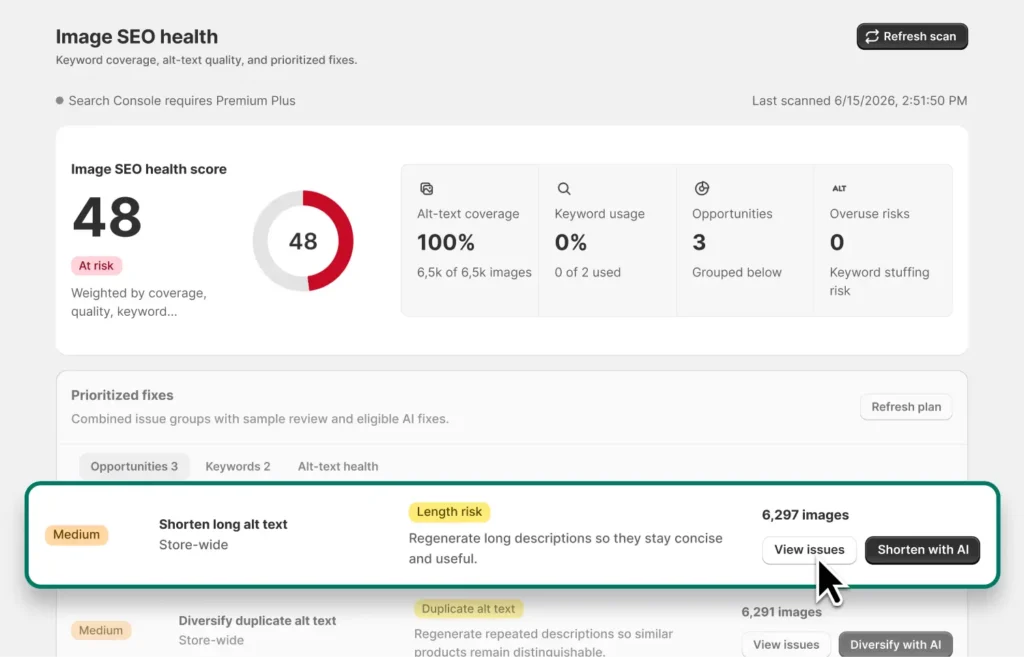
New SEO Health insights powered by Google Search Console
SEO HERO now includes deeper SEO Health reporting, including Google Search Console connection flows, property selection, sync progress, keyword review routing, and premium insight areas.
User benefit: merchants can move beyond “which images are missing alt text?” and start seeing where image SEO may connect to real search demand. This helps prioritize the products and image descriptions most likely to matter.
Real-world example: a fashion retailer can connect Search Console, spot keyword gaps around searches like “linen summer dress” or “black leather ankle boots,” and review opportunities before updating product image alt text.
AI-assisted SEO fixes with review-first workflows
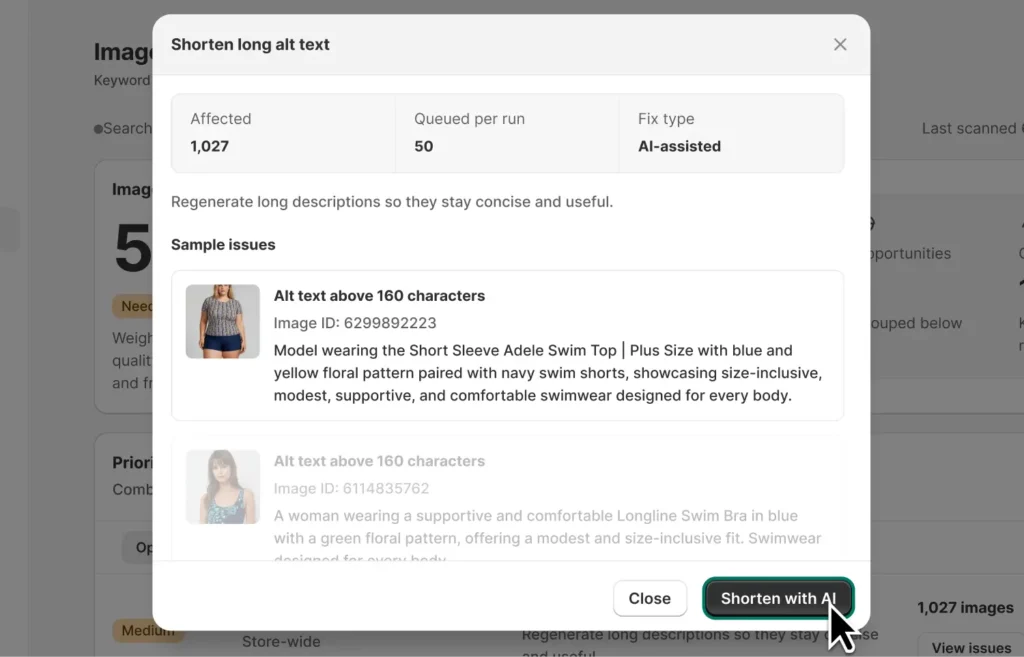
We added SEO Health remediation planning, grouped AI-assisted fix suggestions, progress tracking, and review flows so merchants can evaluate changes before applying them.
User benefit: instead of manually hunting through a large catalog, merchants get a guided path from “SEO issue found” to “recommended fix ready to review.” This saves time while keeping the merchant in control.
Real-world example: an electronics store with hundreds of accessory images can review grouped fixes for vague alt text like “image1.jpg” and turn them into more descriptive, keyword-aware alt text such as “wireless charging pad for iPhone and Android.”
More control over how SEO HERO generates alt text
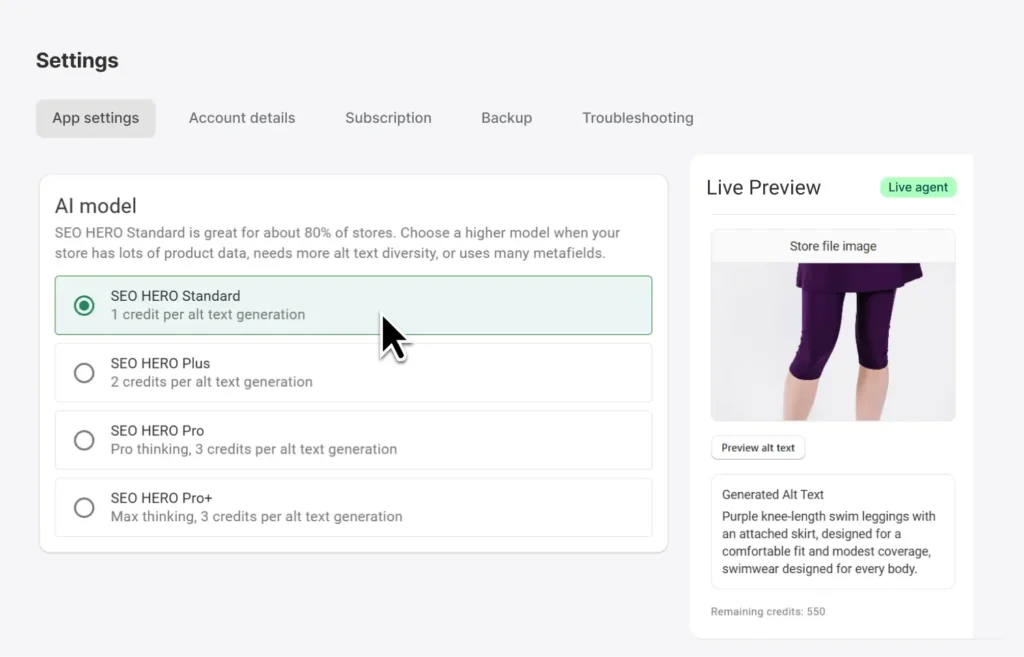
Store-level SEO HERO generation modes, AI model guidance, preview guidance, and regeneration guidance were improved to help merchants understand what will happen before running generation or regeneration.
User benefit: merchants get clearer control over output style, quality expectations, and credit usage—especially before making changes across many images.
Real-world example: a home decor store can choose a more SEO-focused mode for product images, preview how descriptions will sound, and avoid regenerating thousands of images without understanding the impact.
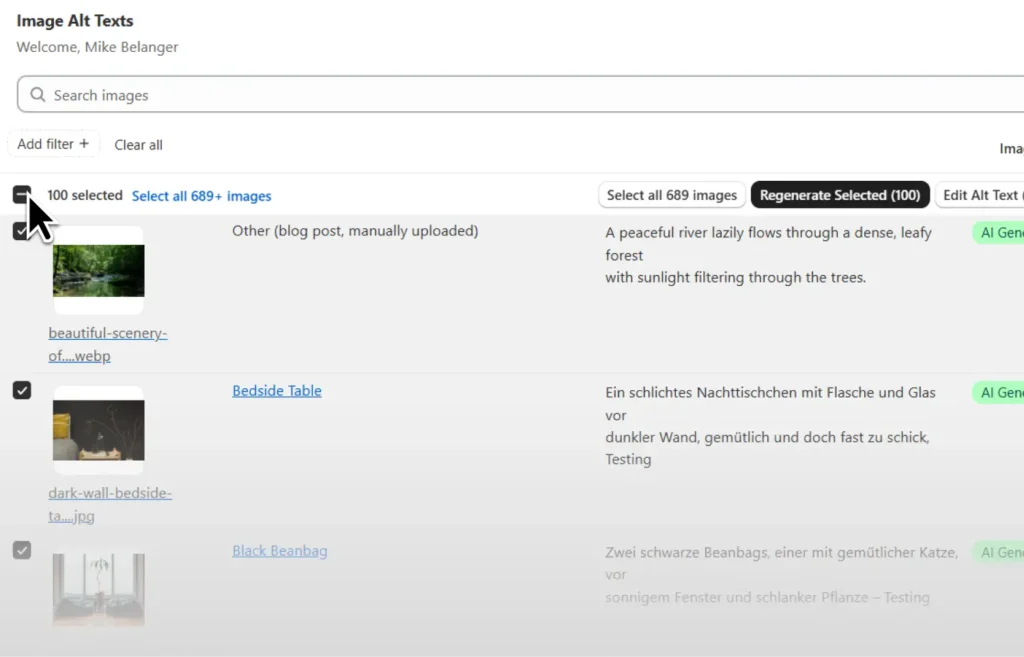
Safer bulk editing for filtered image sets
Bulk actions are now more reliable when merchants use filters like Custom or AI-Optimized, then choose “Select all matching.” The action now stays aligned with the filtered table instead of unintentionally pulling in a broader image set.
User benefit: merchants can bulk edit, regenerate, or remove alt text with more confidence because the selected count and the actual action target match.
Real-world example: a beauty brand can filter to only Custom alt text, select all matching images, and regenerate only those images—without accidentally changing AI-Optimized images that were already approved.
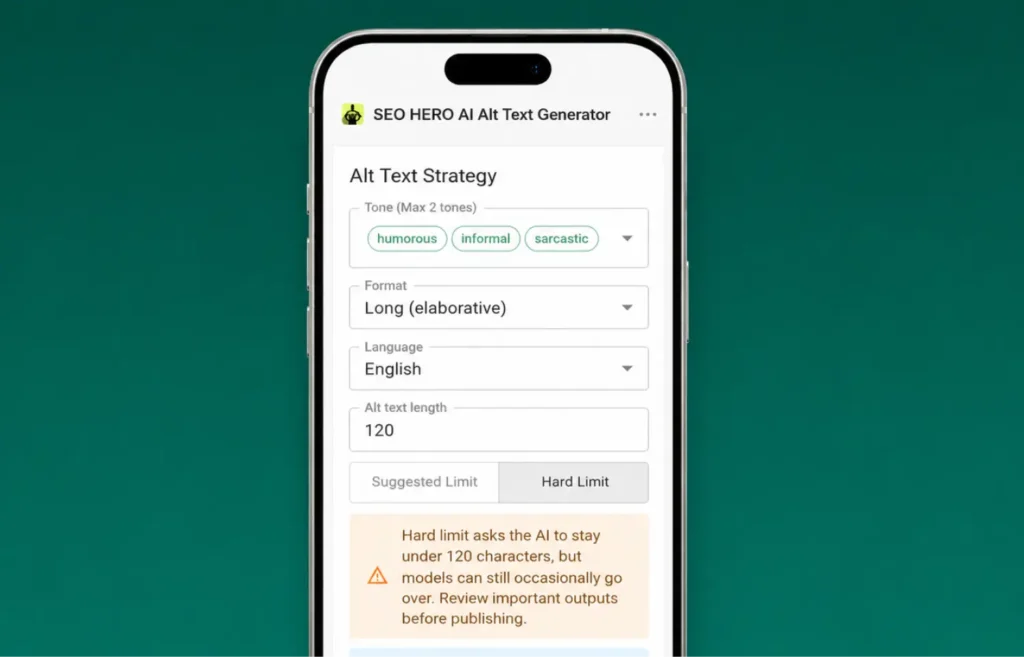
Smoother setup and better mobile management
The onboarding wizard now includes language selection earlier in setup, older installations are no longer interrupted by the setup wizard, and mobile layouts were improved across Settings, Task History, and Troubleshooting.
User benefit: new merchants can generate alt text in the right language from the beginning, while existing merchants get fewer unnecessary interruptions. Mobile improvements also make it easier to check settings or task progress from a phone.
Real-world example: a multilingual apparel brand can choose Spanish or French during onboarding before generating bulk alt text, helping avoid keyword-language mismatches later.
Recent fixes and polish
- Fixed cases where the Images Alt Text table could appear empty or stay stuck while images were still loading.
- Improved image table behavior for stores with very large image counts.
- Fixed large manually selected image groups failing to start alt text generation.
- Fixed duplicate bulk generation risk to help protect credits and prevent repeated work.
- Improved AutoPilot reliability where retries could occur after images were left without alt text.
- Ensured Shopify alt text is applied before post-bulk generation follow-up steps continue.
- Fixed mobile layout clipping and overlapping in Settings, Task History, and Troubleshooting.
- Improved Google Search Console OAuth, property selection, sync progress, and sync date handling.
- Fixed rescan behavior where older scan results could be retained or progress appeared to jump on larger stores.
Open SEO HERO in Shopify and run a bulk alt text update, review live previews, or confirm your language settings.

Hey, I’m Mike Belanger, a business enthusiast with over 15 years of experience in designing, web and app development, business management, digital marketing, customer psychology and optimizing businesses. I love making businesses grow and operate smoother.