Best AI Alt Text Generators for Shopify in 2026
-
 By
Mike
By
Mike
- Updated: July 4, 2026
- 15 min read
-
By
Mike
- Updated: July 4, 2026
- 15 min read
If you run an image-heavy Shopify store, missing or generic alt text is quietly costing you two things: image search traffic and accessibility. Writing it by hand for thousands of product photos is not realistic. That is why AI alt text apps exist, and there are now more of them than ever.
We build and run Shopify SEO apps for a living, so we spend a lot of time inside these tools. Below is an up-to-date comparison of the main AI alt text generators on the Shopify App Store, what each one is actually good at, and how to roll alt text out without wasting credits or stuffing keywords.
Quick answer up top, then the detail.
The short version
- Best overall for SEO control and automation: SEO HERO AI Alt Text Generator (highest-rated in the AI-copy tier, deepest keyword and prompt controls, auto-optimizes new products, Built for Shopify).
- Most established Built-for-Shopify alternative: AltText.ai, with rollover credits and multi-surface image support.
- Best for variant-heavy catalogs: AltKing, which builds alt text from variant data using templates.
- Best budget / one-time cleanup with extra copy tools: Caseo, which also writes meta tags and product descriptions.
- Newer AI option, but priced higher: ALT SEO.
Try SEO HERO AI Alt Text Generator free and generate your first alt texts directly inside Shopify. The free plan includes 100 AI-generated alt texts, so you can test it on real products before paying anything. Install SEO HERO on the Shopify App Store.
Comparison table: Shopify AI alt text apps (2026)
| App | Best for | Built for Shopify | Bulk generation | SEO keyword control | Brand voice / custom prompts | Missing alt text detection | Auto-optimize new products | Pricing from | Rating | Main limitation |
|---|---|---|---|---|---|---|---|---|---|---|
| SEO HERO AI Alt Text Generator | Medium–large catalogs wanting SEO control + automation | Yes | Yes | Strong: auto keyword injection + Hyper SEO custom keywords | Yes: templates, brand voice, excluded terms, custom prompts, up to 100 keywords | Yes | Yes: AI Agent, Premium and up | Free to install; paid from $5/mo | 4.9 (122) | English UI; newest features like SEO Health and analytics still rolling out |
| ATAI – AltText.ai | A mature option with rollover credits and multi-surface images | Yes | Yes | Moderate: uses product name, brand, description | Customizable settings; prompt/brand-voice depth not detailed on listing | Not clearly stated | Yes: runs on create/update | Free to install; $3/50 or $5/mo | 4.4 (141) | Lower current rating; lighter visible prompt control |
| Caseo AI Alt Text Generator | Small stores or one-time cleanup that also want meta copy | No | Yes | Not clearly stated | Not clearly stated | Not clearly stated | Yes: autopilot | Free trial; $9 one-time | 4.7 (13) | Small review base; broad “AI writer,” not alt-text specialist |
| AltKing: AI Alt Text SEO & ADA | Variant-heavy catalogs needing templated variant alt text | Yes | Yes | Variable-based: variants, title, type, tags, brand; not AI keyword strategy | No AI prompt or brand-voice layer | Not clearly stated | Yes: daily sync | Free | 4.9 (92) | Templated variables, not rich AI descriptions |
| ALT SEO: AI Alt Text Generator | A newer Built-for-Shopify AI option with recurring automation | Yes | Yes | Strong: industry keywords, keyword emphasis | Yes: custom prompts, brand terminology | Not clearly stated | Yes: background/recurring | Free: 100/mo; paid from $29/mo | 4.8 (47) | Much higher paid entry price |
How to read this: SEO HERO AI Alt Text Generator is the best fit if you want the widest blend of bulk generation, SEO keyword control, prompt-level customization, missing-alt cleanup, and automation for new images at a low starting price. AltText.ai is the most established alternative if you like rollover credits. AltKing is great for variant-heavy stores that mainly need structured templates rather than AI-written descriptions.
Not sure which images to fix first, or worried about keyword stuffing? Keep reading, or start free inside your store and let the app scan your catalog for missing alt text.
Shopify App Store · verified July 2026
Which AI alt text app fits your store?
Tap what you need. The best match updates and the apps re-sort. Five apps compared on the things that matter: bulk generation, keyword control, automation, price, and rating. Tap any card for the full breakdown.
I need…
Positioning: rating vs. social proof
Higher is better rated. Right is more reviewed. Gold = SEO HERO.
The apps in detail
SEO HERO AI Alt Text Generator (our pick for SEO control)
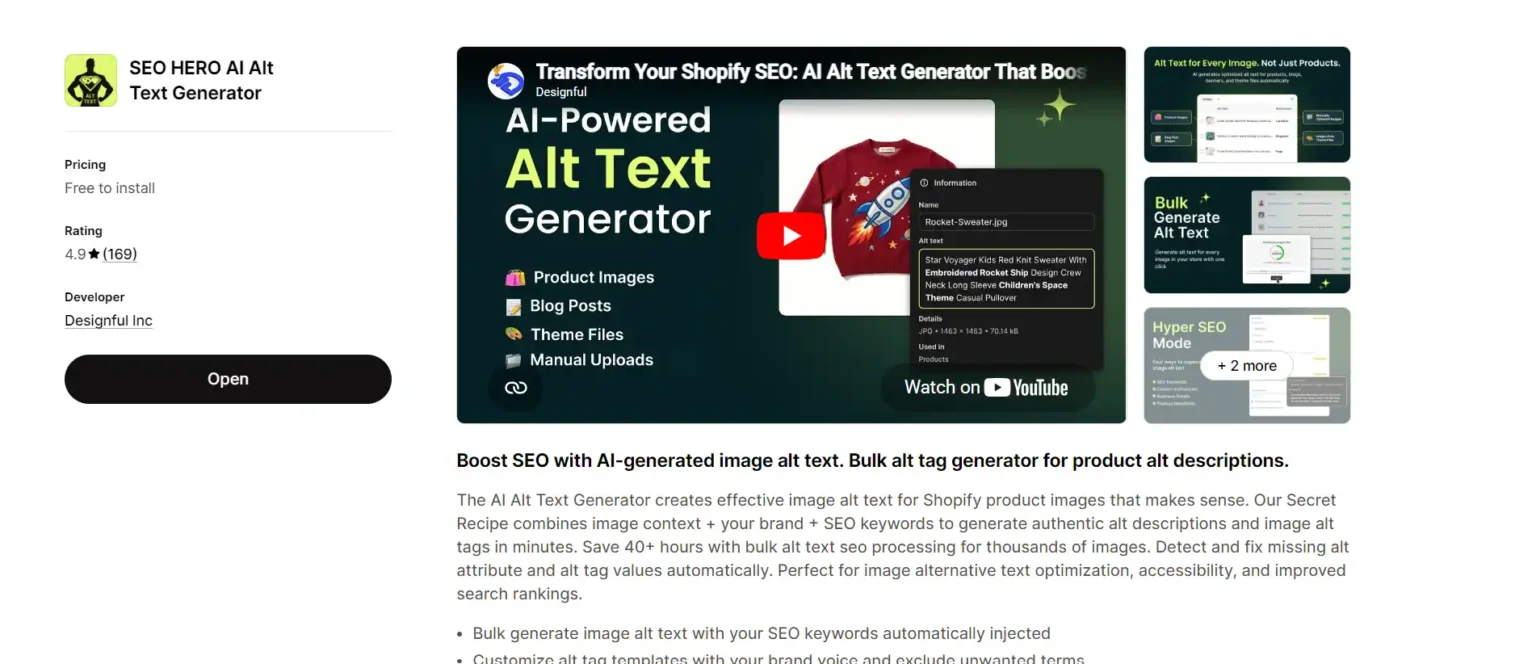
Rating: 4.9 stars, 160+ reviews on the Shopify App Store
Best for: medium to large catalogs and SEO-focused stores.
SEO HERO AI Alt Text Generator uses what we call the “Secret Recipe”: it blends the image itself, your brand voice, and your target keywords to write alt text that reads naturally instead of sounding robotic. The part merchants tend to care about most is control. You can inject SEO keywords automatically, set up to 100 target keywords, write custom prompts, lock in brand terms, and exclude words you never want to appear.
It also handles the boring-but-important work: it auto-detects images that are missing alt text and fixes them, processes thousands of images in bulk, and, on paid plans, uses an AI Agent to write alt text for new products automatically as you add them. Higher tiers add Hyper SEO mode for custom keyword control plus backup and restore, so you can roll changes back if you do not like a batch.
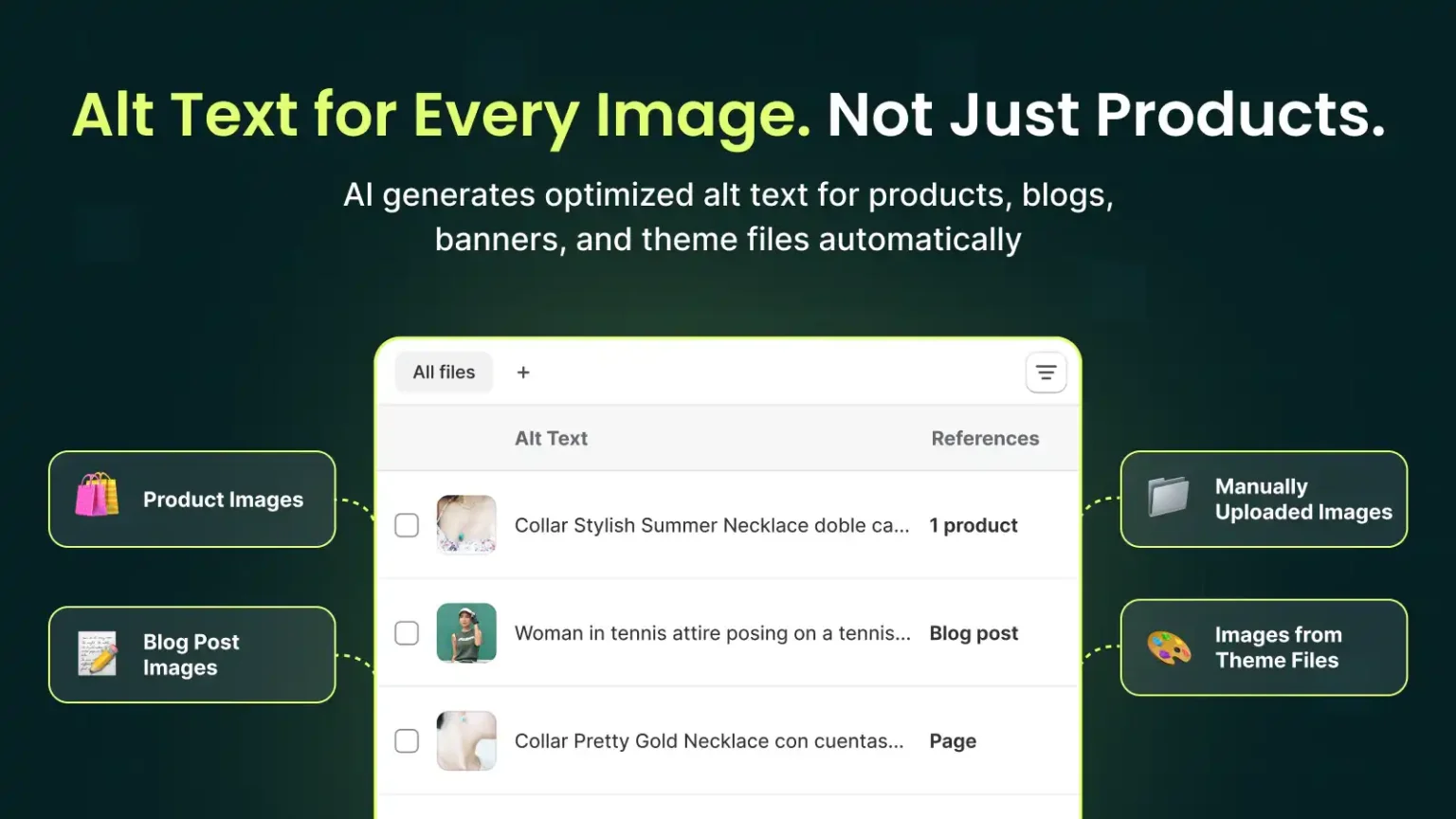
One real differentiator: it works across all Shopify image types, not just product photos. That includes collection images, blog images, and theme or manual uploads, which is where a lot of stores have gaps.
Newer capabilities worth knowing about: SEO HERO is growing past pure alt text. It now includes an SEO Health score that grades your store on coverage, quality, keyword alignment, and freshness, and flags issues like missing, short, long, or duplicate alt text and keyword overuse. It also connects to Google Search Console, so you can see real clicks, impressions, CTR, and position data and spot keyword gaps, then turn those findings into fix batches. If you manage SEO seriously, that turns an alt text tool into a light image-SEO workflow.
Pricing
| Plan | Price | Includes |
|---|---|---|
| Free Forever | Free to install | 100 AI-generated alt texts (plus optional one-time credit packs for 1k, 2k, or 10k images) |
| Basic | $5 / month | 150 alt texts/month, bulk processing, SEO keyword injection |
| Premium | $15 / month | 500 alt texts/month, AI Agent for new products, Hyper SEO mode, backup and restore |
| Premium Plus | $35 / month | 2,000 alt texts/month, alt text diversity, analytics dashboard (rolling out) |
ATAI – AltText.ai (most established alternative)
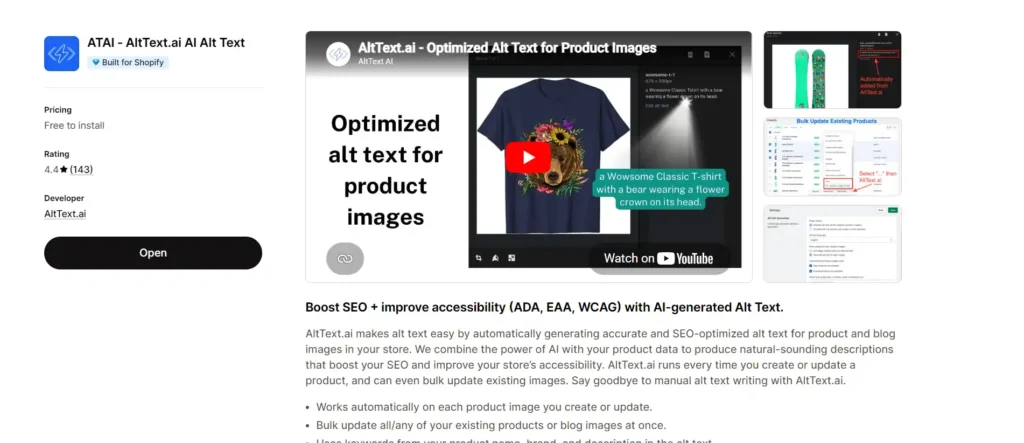
Rating: 4.4 stars, 140+ reviews on the Shopify App Store
Best for: merchants who want a proven tool with rollover credits.
AltText.ai runs automatically every time you create or update a product, and it can bulk-update existing product and blog images. It pulls from your product name, brand, and description to build the alt text, and it works on metafield images, collection images, and images inside product descriptions. It carries ADA, AODA, EAA, and WCAG accessibility tags on its listing.
Pricing is flexible: free to install with your first 25 images free, then pay as you go at $3 per 50 images, or subscribe (Bronze $5/month for 100 images, Silver $19/month for 500, Gold $59/month for 2,000). Unused credits roll over, which is a genuine plus if your volume is uneven.
Where it trails SEO HERO AI Alt Text Generator: its listing is less explicit about custom prompt control, brand-voice tuning, excluded terms, and missing-alt detection, and its current rating is lower.
Caseo AI Alt Text Generator (budget and multi-purpose)
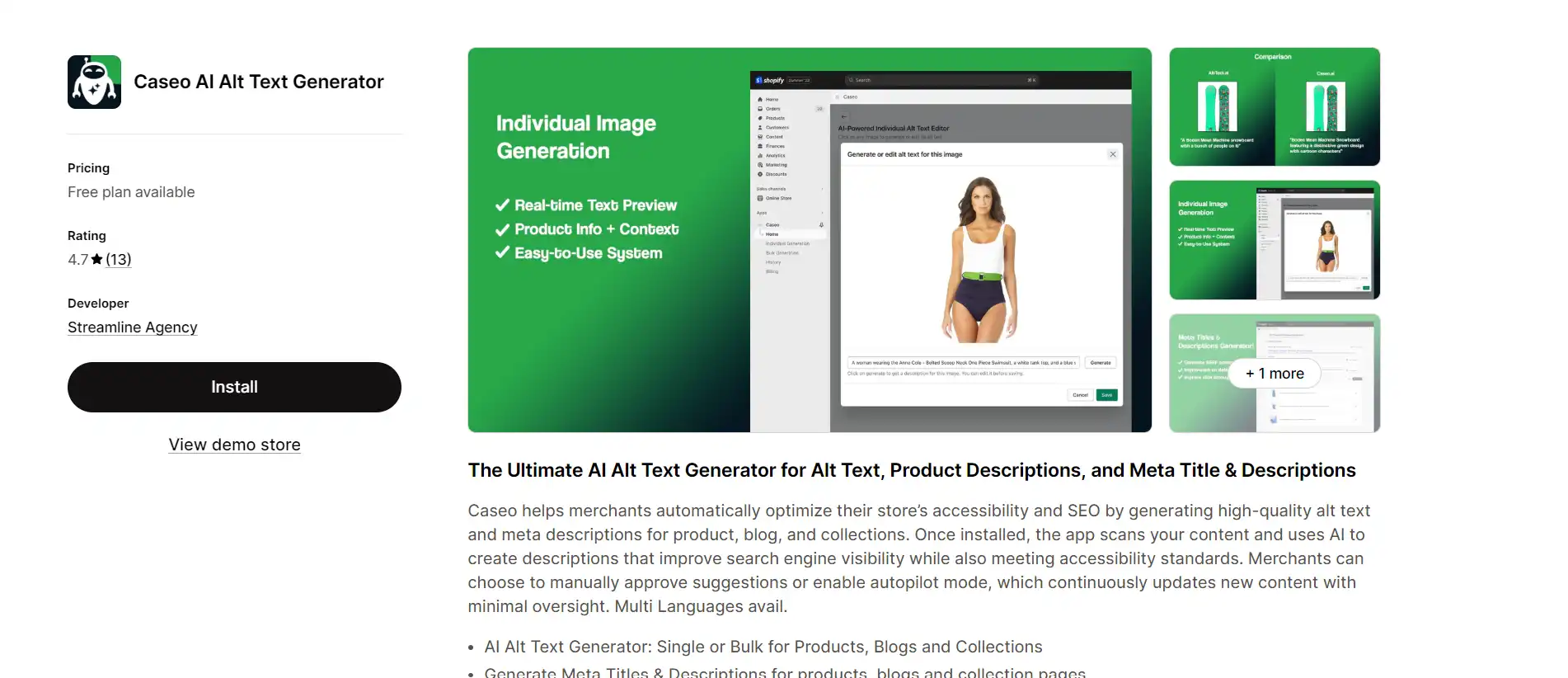
Rating: 4.7 stars, 10+ reviews
Best for: small stores or one-time cleanups that also want meta copy.
Caseo (by Streamline Agency) is broader than a pure alt text tool. It generates alt text in single or bulk mode for products, blogs, and collections, and it also writes meta titles, meta descriptions, product descriptions, and even ad copy. It offers an autopilot mode for ongoing updates.
Pricing is one-time credit packs rather than monthly automation: a free 15-day trial with 50 credits, then $9 for 200 credits, $59 for 2,000, or $119 for 5,000. That suits stores that want to avoid a subscription. The trade-off is a small review base and less depth on alt-text-specific controls like keyword strategy and missing-alt detection.
AltKing: AI Alt Text SEO & ADA (best for variants)
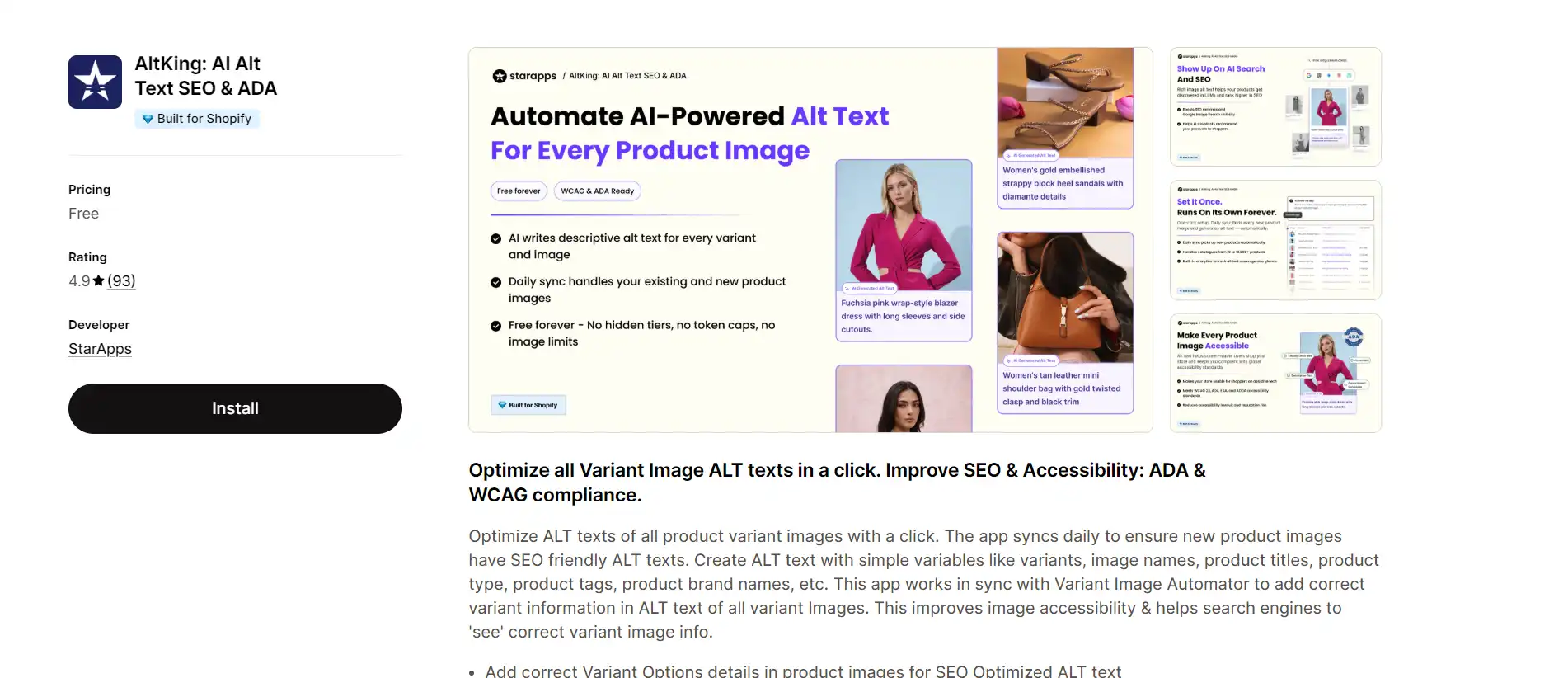
Rating: 4.9 stars, 90+ reviews
Best for: variant-heavy catalogs.
AltKing (by StarApps, formerly Variant Alt Text King) takes a different approach. Instead of AI-written descriptions, it builds alt text from variables like variant options, product title, product type, tags, and brand, then syncs daily so new images get covered. It pairs with Variant Image Automator to carry the right variant details into each variant image. It is free.
This is excellent if your main pain is variant-level labeling and structured, predictable alt text. It is weaker if you want rich, context-aware descriptions, custom prompts, or strategic keyword shaping.
ALT SEO: AI Alt Text Generator (newer AI option)
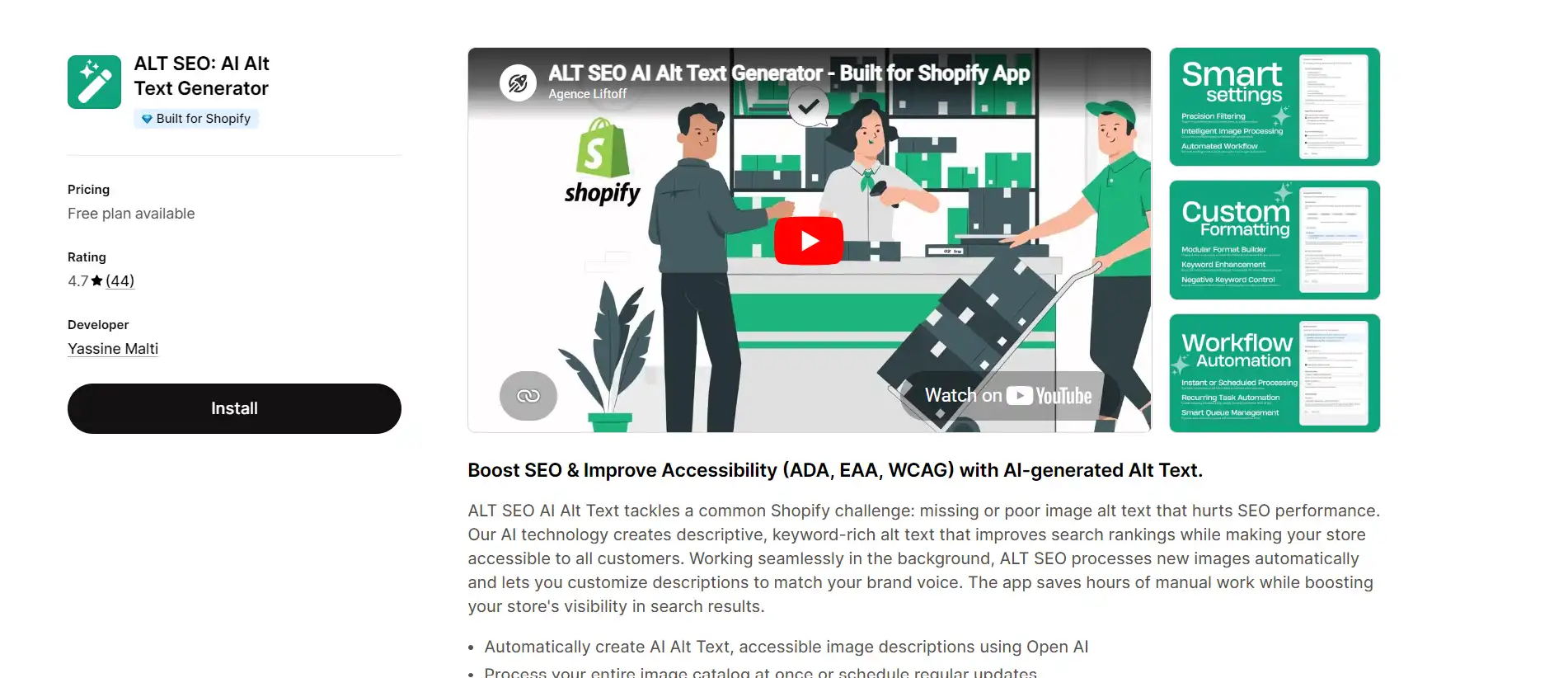
Rating: 4.7 stars, 40+ reviews
Best for: stores wanting recurring background automation.
ALT SEO writes keyword-rich alt text in the background using OpenAI, lets you set custom prompts and industry-specific keywords, and schedules recurring updates. It supports many languages. The catch is price: the free plan covers 100 images per month, but paid plans start at $29/month (1,000 images), then $59 and $119, which is a much higher entry point than SEO HERO’s $5.
Why alt text matters for Shopify SEO
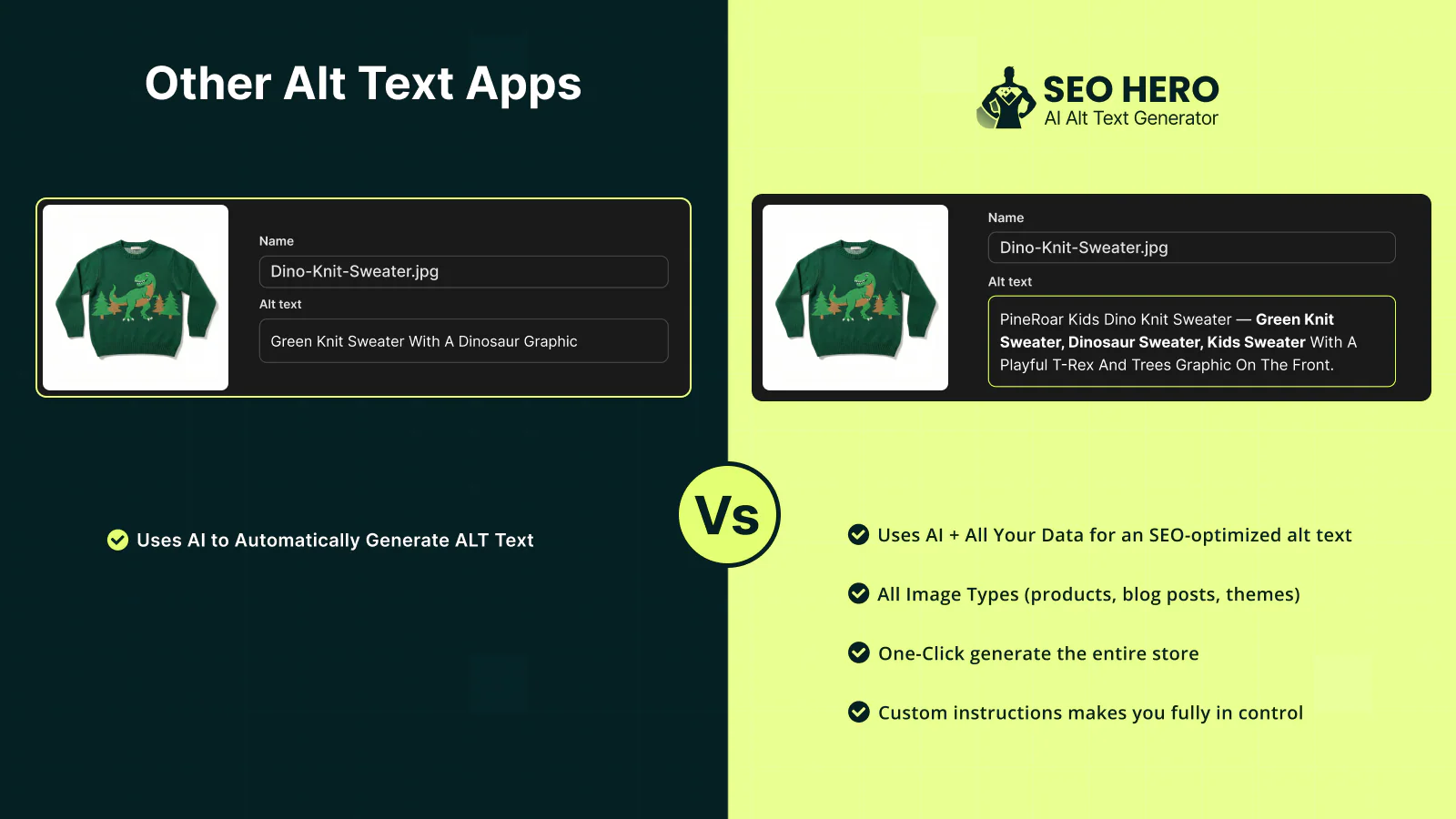
Alt text is the written description attached to an image. It does two jobs at once. Search engines read it to understand what an image shows, which is how your products can surface in Google Images and add relevance to the page. Assistive technology like screen readers reads it aloud, so people who cannot see the image still understand it.
Google’s own image SEO guidance treats alt text as one of the most important pieces of image metadata, and says it works best when it is useful and describes the image in context. Shopify supports alt text on all product media and recommends keeping it brief and descriptive.
For a store with hundreds or thousands of images, doing this by hand is where most people give up. That is the gap these apps fill.
How AI alt text tools work inside Shopify
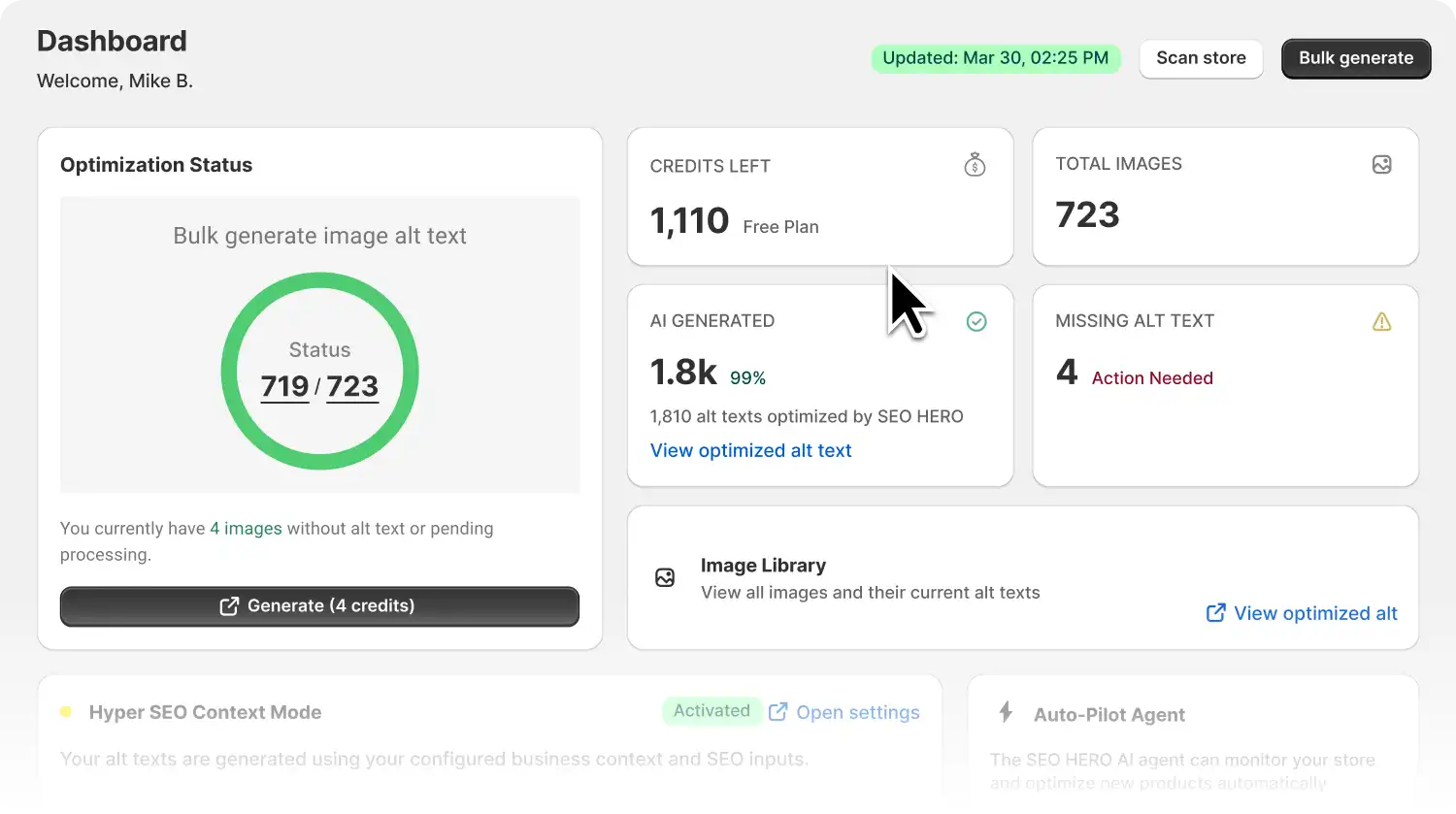
The flow is similar across apps. You install from the App Store, grant access to your products and files, and set your preferences (keywords, tone, language, character limit). The app then reads each image plus its product data and writes a description. Most apps offer bulk processing for your existing catalog and an automatic mode that handles new uploads going forward.
The differences that matter are in the details: how much control you get over keywords and prompts, whether the tool detects missing alt text on its own, whether it covers non-product images, and whether it re-checks new products automatically. That is exactly what the table above compares.
When to bulk-update everything vs only missing alt text
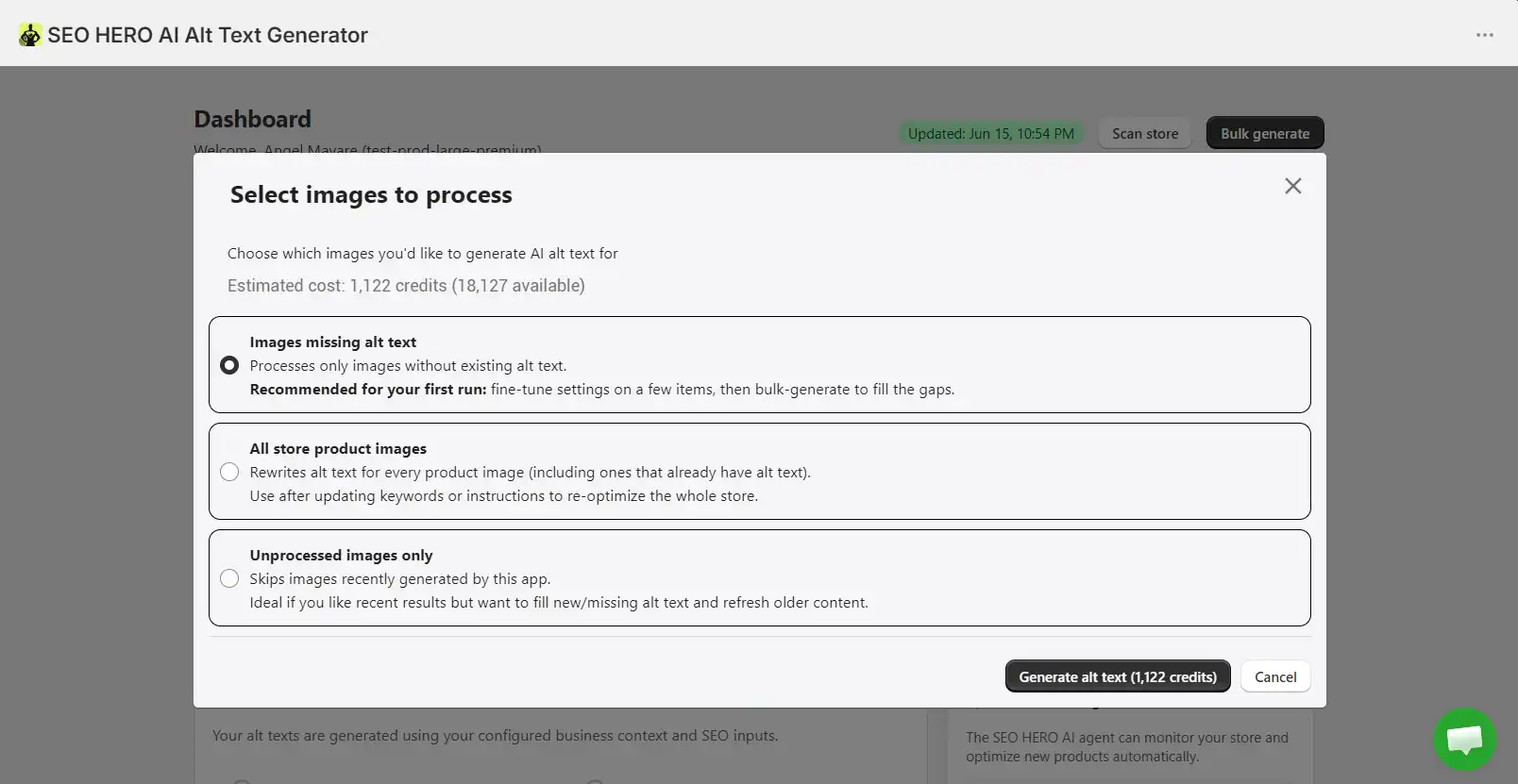
A simple rule:
- If most of your images have no alt text, fix the missing ones first. It is the fastest accessibility and SEO win, and it uses the fewest credits.
- If you already have alt text, but it is thin, repetitive, or keyword-stuffed, reprocess in order of value: your best-selling collections, your highest-traffic product pages, and your highest-margin categories first.
There is no SEO benefit to burning credits regenerating alt text that is already good. Prioritize by impact.
How to include keywords without stuffing
Keywords help, but only when they fit the image. Google explicitly warns against stuffing keywords into alt text, and stuffed alt text reads badly for screen reader users too.
Good alt text describes the image first and works a relevant keyword in naturally. A useful structure that fits Shopify’s brief-and-descriptive guidance is:
[Brand] + [Product Type] + [Color] + [Key Feature] + [View Angle]
For example, “Aster wool blend overcoat in charcoal, double-breasted, front view.” That is specific, readable, and keyword-relevant without being spam.
Tip: if your alt text keeps getting cut off, check your character limit setting. Long multi-field templates often will not fit a short limit, so either shorten the structure or raise the limit, then regenerate a few images and review the output.
How to write alt text that helps both SEO and accessibility
The two goals mostly overlap. Describe what is actually in the image, in plain language, in the context of the page. Keep it concise. Do not start with “image of” (screen readers already announce it as an image). Reserve longer, careful descriptions for images that carry real meaning, like product detail shots, and keep purely decorative images short or empty.
One honest caveat: do not assume AI output is automatically accessibility-compliant. AI is great for speed and coverage, but for important, complex, or high-value images you should still review the description. Accessibility guidelines expect the text to match the image’s real information and function.
What to check before choosing an app
- Does it cover the image types you actually have (products, collections, blogs, theme uploads)?Can you control keywords, tone, brand terms, and excluded words?Does it detect and fix missing alt text on its own?Does it handle new products automatically, or only what you run manually?What is the real cost at your image volume (monthly vs one-time)?Is it Built for Shopify, and what is the current rating on its own listing?
How to measure results after updating alt text
Give it a few weeks, then look at the right signals. In Google Search Console, watch image impressions and clicks and check the Images tab. In Shopify and GA4, watch organic landing-page traffic to your product and collection pages. If your alt text tool connects to Search Console (SEO HERO does), you can track query, click, and position changes without leaving the app.
Do not expect overnight jumps. Image SEO compounds as Google recrawls and reindexes your catalog.
Want a full picture of your store's SEO, not just images? Pair alt text with our SEO HERO AI Meta Tag Generator for titles and descriptions, or run a full scan with the SEO HERO AI Audit Tool. If you would rather hand it off, see our Shopify SEO services.
Bottom line
Alt text is one of the highest-leverage, lowest-effort SEO and accessibility wins on Shopify, and in 2026 there is no reason to write it by hand. If you want the most control over keywords, prompts, and automation, SEO HERO AI Alt Text Generator is our pick. If you want rollover credits, AltText.ai is a strong option. If your catalog is variant-heavy, look at AltKing.
Whichever you choose, start with the images that matter most and keep new products covered automatically.
FAQs
What is the best AI alt text generator for Shopify?
It depends on your use case. For the widest blend of bulk generation, keyword control, custom prompts, missing-alt cleanup, and automation for new products at a low starting price, SEO HERO AI Alt Text Generator is the strongest fit. AltText.ai is a solid Built-for-Shopify alternative, and AltKing is best for variant-heavy stores.
Can Shopify automatically generate alt text?
Partly. Shopify can suggest alt text for individual images that are missing it in the media editor. But if you need bulk updates, keyword control, review flows, or automatic optimization for every new product, you will want a dedicated app.
Is AI-generated alt text good for SEO?
Yes, when it is useful and contextual. Google values alt text that accurately describes the image and works keywords in naturally. AI is good at producing this at scale, as long as you avoid stuffing and review important images.
Should alt text include keywords?
Yes, but only when they are relevant and natural. Describe the image first, then include a keyword if it genuinely fits. Google warns against stuffing keywords into alt text.
How long should Shopify image alt text be?
Keep it brief and descriptive. Shopify allows up to 512 characters but recommends 125 characters or less. Shorter, specific alt text usually performs better for both search and screen readers.
Can AI alt text help accessibility?
Yes. Alt text is what screen readers use to describe images, and it supports ADA, AODA, EAA, and WCAG goals. Just do not treat AI output as automatic compliance; review high-value and complex images yourself.
What is the difference between alt text and image title?
Alt text is the actual text replacement for an image and is the accessibility-critical field. The title attribute is only advisory (it shows as a tooltip on hover) and is not a substitute for alt text.
Should I update all product images or only those missing alt text?
If your store has little or no alt text, fix the missing images first for a fast win. If your existing alt text is weak or stuffed, reprocess your top collections, highest-traffic product pages, and highest-margin categories next.Does SEO HERO AI Alt Text Generator update new product images automatically?
Yes. On Premium and higher, its AI Agent generates alt text for new products automatically as you add them, so your catalog stays optimized without manual work.
Can I customize AI-generated alt text for my brand voice?
Yes. SEO HERO AI Alt Text Generator lets you set tone and style, add brand terms, exclude words, write custom prompts, and target up to 100 keywords, so the output matches your brand instead of sounding generic.
Share on Social Media: Mike
MikeHey, I’m Mike Belanger, a business enthusiast with over 15 years of experience in designing, web and app development, business management, digital marketing, customer psychology and optimizing businesses. I love making businesses grow and operate smoother.
Table of Contents
Try SEO HERO AI Alt Text Generatorand generate your first alt texts directly inside Shopify.