Help Desk Hero
Product Update May 2026
-
 By
Mike
By
Mike
- Updated: June 4, 2026
- 15 min read
-
By
Mike
- Updated: June 4, 2026
- 15 min read
Automatic sync, better exports, and stronger agent insights
This month, we focused on helping support teams spend less time manually refreshing data and more time acting on customer insights. The biggest updates make your dashboards fresher, your conversation exports more targeted, and your agent coaching easier to manage.
What’s new
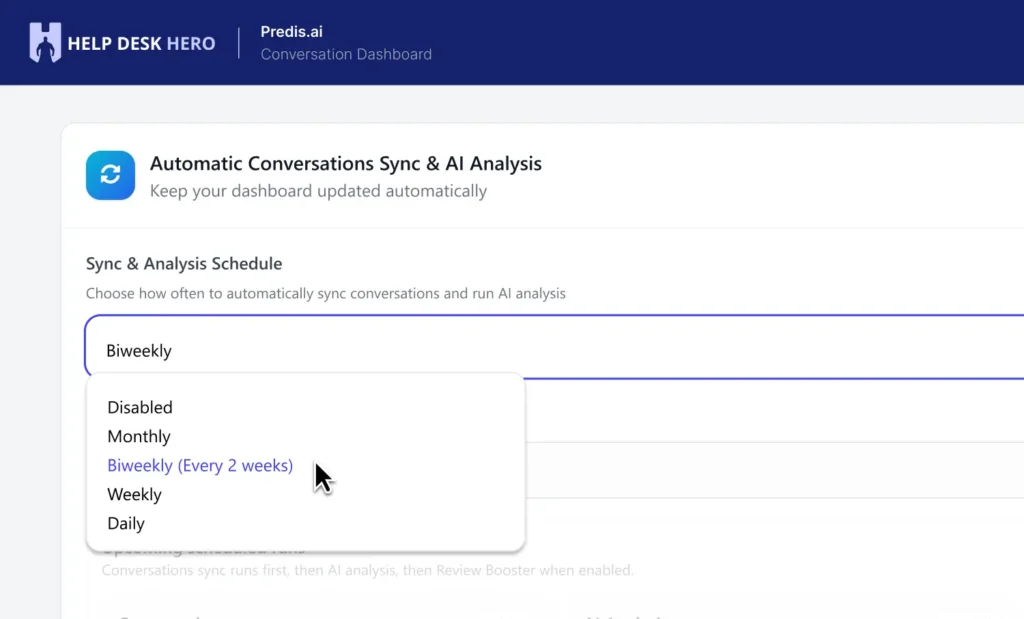
Automated conversation sync and analysis for Silver & Gold users
Silver and Gold users can now enable automated conversation syncing and analysis as a stand-alone setting. This keeps Help Desk Hero’s dashboards and AI-powered insights updated without needing to manually trigger a sync.
- Silver users: choose monthly or biweekly sync.
- Gold users: choose monthly, biweekly, weekly, or daily sync.
- Benefit: your conversation analysis, Review Booster, and future automation features can work from fresher customer data.
Real-world example: An e-commerce brand running a weekend sale may see a sudden spike in questions about shipping delays, discount codes, or returns. With daily sync on Gold, the support team can see these trends faster and update FAQs or homepage messaging before the same question turns into hundreds of repeat tickets.
Scheduled sync status and logs
Automated sync now includes clearer status visibility, including details like whether sync is enabled, the last run, the next scheduled run, and access to recent sync logs.
- Benefit: admins can quickly confirm whether the sync schedule is healthy.
- Benefit: support leaders have more confidence that dashboards are being refreshed on schedule.
Real-world example: A SaaS company preparing a weekly customer success report can check the scheduled sync status before the meeting and know whether the latest onboarding, billing, and feature-request conversations have been analyzed.
New
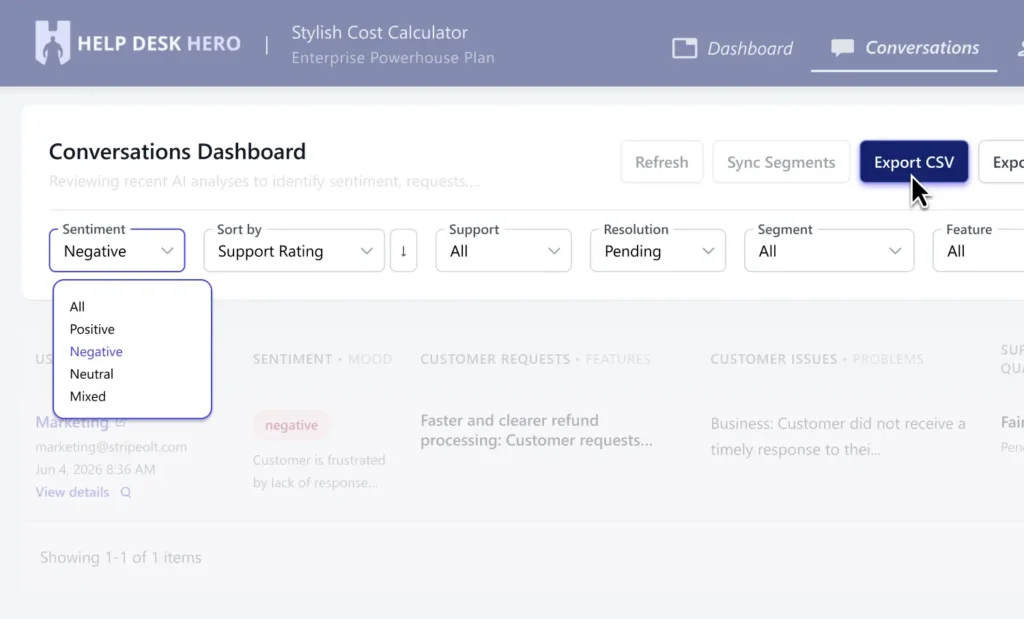
Crisp segment filters and exports for conversations
Conversation workflows now support Crisp segment filtering and exports, making it easier to narrow down the conversations that matter most and share the right dataset with your team.
- Benefit: analyze specific customer groups instead of sorting through every conversation manually.
- Benefit: export cleaner, more relevant data for internal reporting, team reviews, or customer research.
Real-world example: A B2B SaaS company can filter conversations from enterprise accounts only, export those interactions, and identify which integrations, onboarding blockers, or pricing questions are most common among high-value customers.
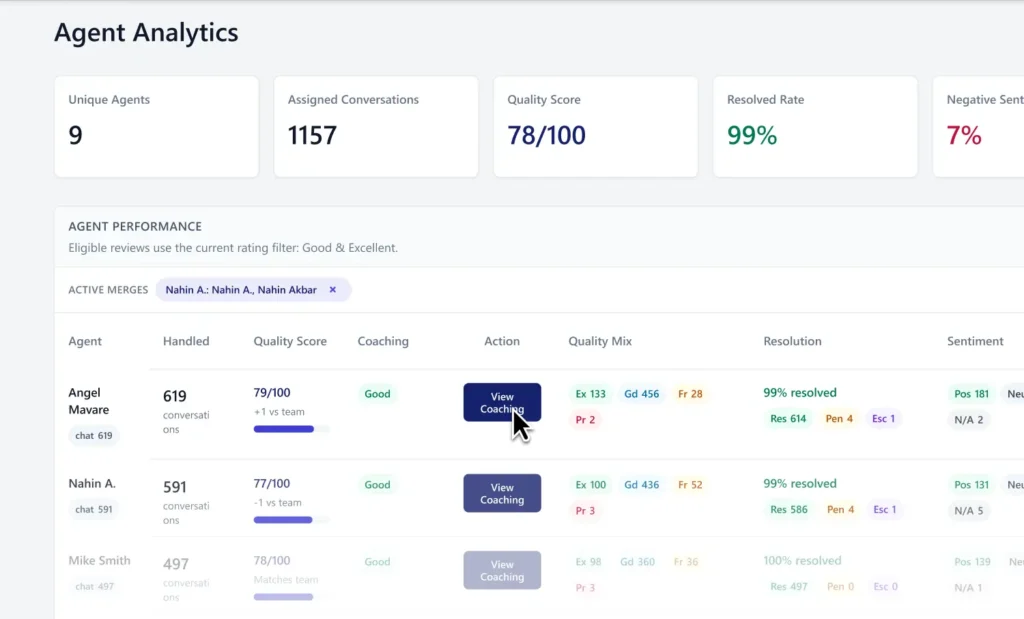
Agent Analytics with performance drilldowns
Agent Analytics has been expanded with performance-focused drilldowns and better grouping by operator identity. This makes it easier to connect conversation patterns to the agents handling them.
- Benefit: identify coaching opportunities by agent, topic, or conversation pattern.
- Benefit: spot what top-performing agents are doing well and turn those habits into team-wide playbooks.
Real-world example: A retail support manager can review warranty, refund, or shipping-delay conversations by agent and see who resolves issues fastest. That insight can then be used to coach newer agents before the next seasonal rush.
Top 10 insights now better respect date range changes
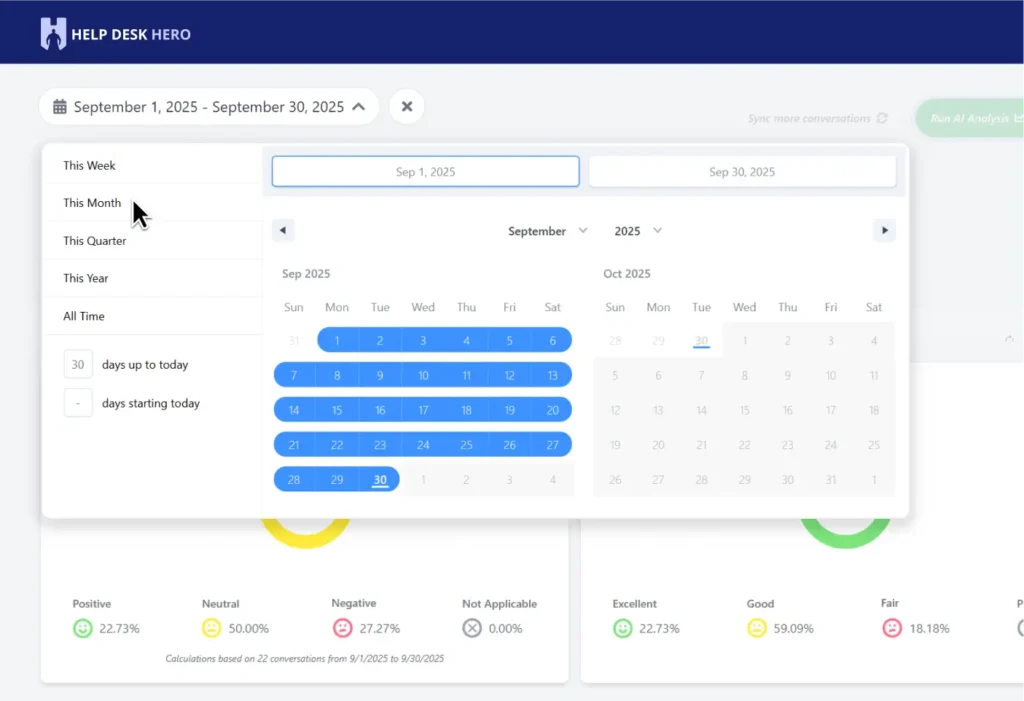
Top 10 analysis cards now better handle selected date ranges, with clearer refresh-needed notices when the current list may not match the newly selected range.
- Benefit: teams can trust that their “Top 10” pain points, bugs, feature requests, and opportunities match the time period they are reviewing.
- Benefit: clearer refresh prompts reduce confusion when switching from monthly analysis to weekly or campaign-specific reporting.
Real-world example: After launching a new feature, a SaaS founder can filter the dashboard to the last 7 days and refresh the Top 10 feature requests to see what customers are asking for right now — not what was trending last month.
Billing, credits, and plan clarity
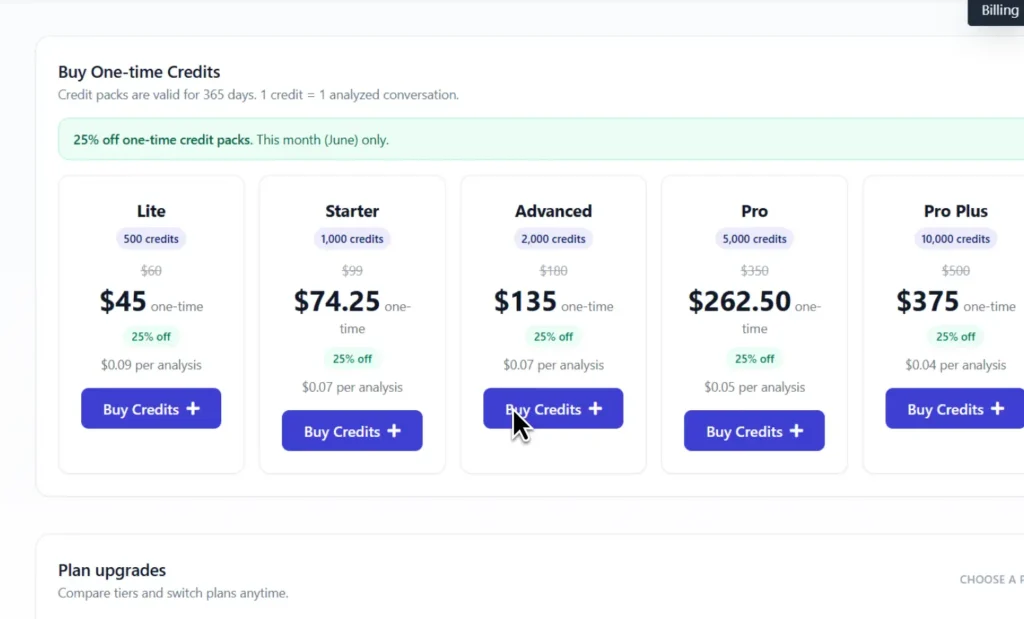
We also made improvements to credit packs, monthly credit resets, plan access, add-on credit validation, free plan specifications, and invoice detail fields.
Benefit: teams get clearer access to the features and credits they paid for, with fewer billing surprises during busy support periods.
Recent fixes and polish
- Fixed a sync issue where sub-inboxes were not being included correctly.
- Fixed export timestamp handling and improved segment backfill pacing.
- Fixed a Top 10 modal issue where the fallback description could show hard-coded text.
- Improved handling and reporting for rare invalid dashboard date cases.
- Fixed pricing-page loading behavior so only the selected plan shows a loader.
- Corrected AI analysis quota enforcement for free users.
- Improved premium feature locks and high-credit plan access handling.
- Validated add-on credit pricing more reliably during billing flows.
See how Help Desk Hero can keep your conversation insights fresh automatically.

Hey, I’m Mike Belanger, a business enthusiast with over 15 years of experience in designing, web and app development, business management, digital marketing, customer psychology and optimizing businesses. I love making businesses grow and operate smoother.