Help Desk Hero
Product Update Jun 2026
-
 By
Mike
By
Mike
- Updated: July 2, 2026
- 15 min read
-
By
Mike
- Updated: July 2, 2026
- 15 min read
New AI controls: choose insight depth, manage credits, and coach agents faster
This month, we focused on giving support teams more control over how Help Desk Hero analyzes conversations. You can now choose the AI quality level that fits the job, see clearer progress while insights generate, and turn agent analytics into practical coaching plans.
What’s new
Choose your AI analysis level in Settings
Help Desk Hero now includes a global AI Model Chooser in Settings. Instead of using one fixed analysis level for every job, you can choose between HDH Standard, HDH Advanced, and HDH Pro for different types of analysis.
| Analysis Type | HDH Standard | HDH Advanced | HDH Pro |
|---|---|---|---|
| Top 10 Conversation Analysis | 3 credits | 10 credits Recommended | 15 credits |
| Conversation Analyzer | 1 credit | 2 credits Recommended | 3 credits |
| Agent Analyzer | 1 credit | 2 credits Recommended | 5 credits |
- Benefit: use lower-cost analysis for routine conversation review.
- Benefit: use higher-depth analysis when the decision is more important, such as roadmap planning, churn review, or executive reporting.
- Benefit: make credit usage more predictable across your team.
Real-world example: A B2B SaaS company can run everyday conversation analysis on HDH Standard to monitor support volume, then switch Top 10 Conversation Analysis to HDH Pro before a quarterly product planning meeting. That gives leadership deeper insight where it matters most without overspending on every routine analysis.
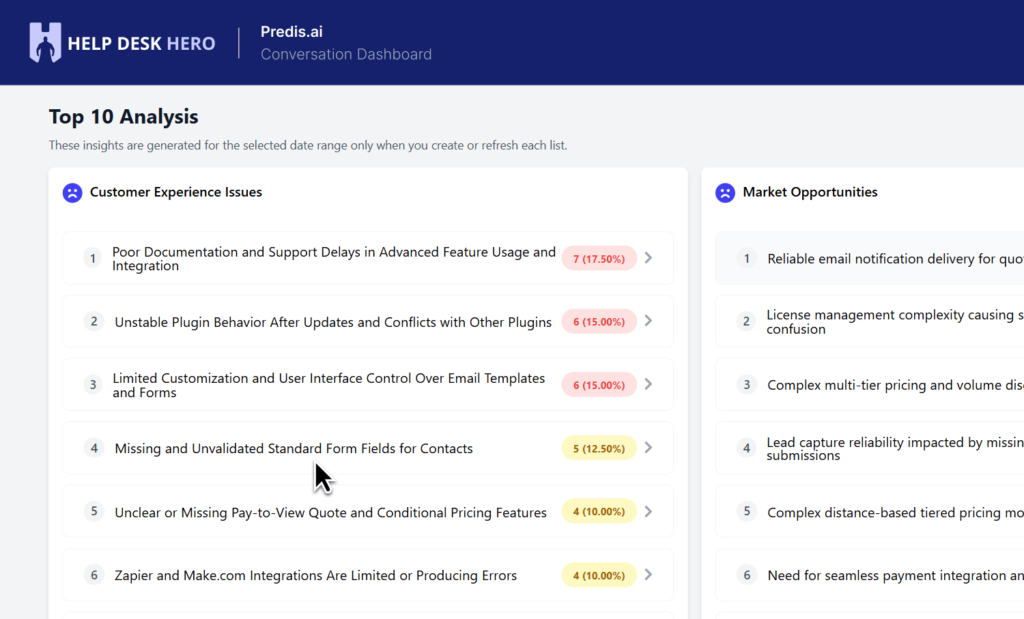
Clearer progress while Top 10 insights generate
Automated sync now includes clearer status visibility, including details like whether sync is enabled, the last run, the next scheduled run, and access to recent sync logs.
- Benefit: admins can quickly confirm whether the sync schedule is healthy.
- Benefit: support leaders have more confidence that dashboards are being refreshed on schedule.
Real-world example: A SaaS company preparing a weekly customer success report can check the scheduled sync status before the meeting and know whether the latest onboarding, billing, and feature-request conversations have been analyzed.
New
Agent Coaching Dashboard
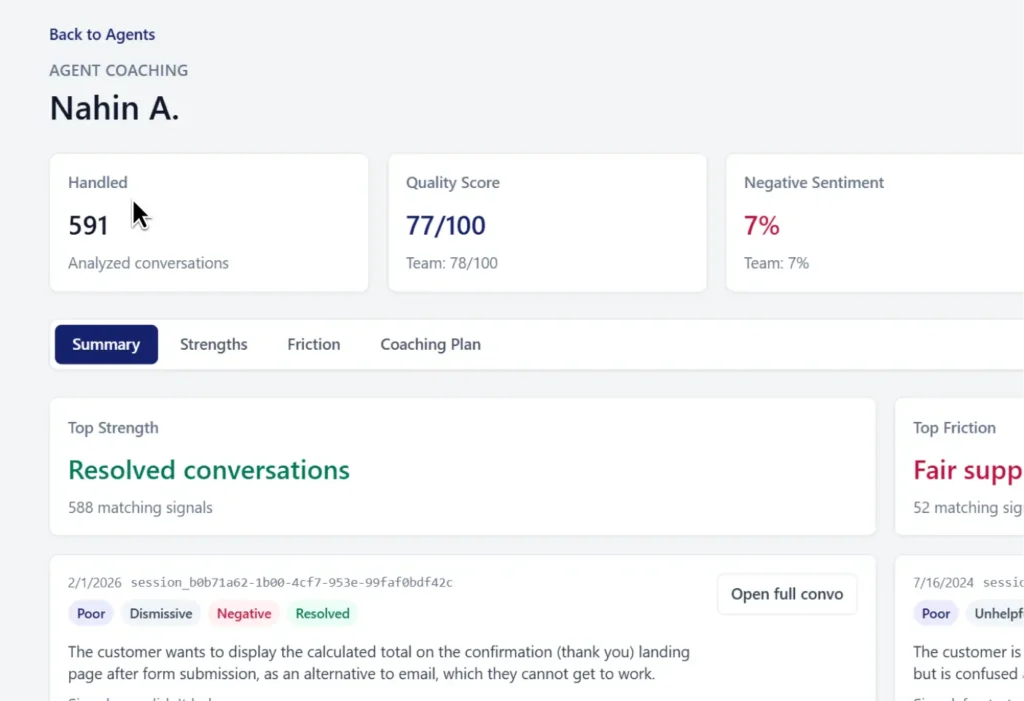
We added an Agent Coaching Dashboard to help managers move from “interesting analytics” to practical coaching actions. The dashboard surfaces agent-level signals and supports AI-generated coaching plans, making it easier to improve consistency across your support team.
- Benefit: identify which agents need help with specific topics like refunds, shipping delays, billing confusion, or feature setup.
- Benefit: turn strong agent behavior into repeatable team playbooks.
- Benefit: generate coaching plans with clearer credit handling, so managers know when AI credits are being used.
Real-world example: A retail support manager notices warranty complaints are driving negative sentiment. With the Agent Coaching Dashboard, they can review which agents are handling warranty conversations well, generate a coaching plan for the rest of the team, and reduce refund escalations before the next seasonal rush.
Cleaner Agent Analytics with persistent name merges
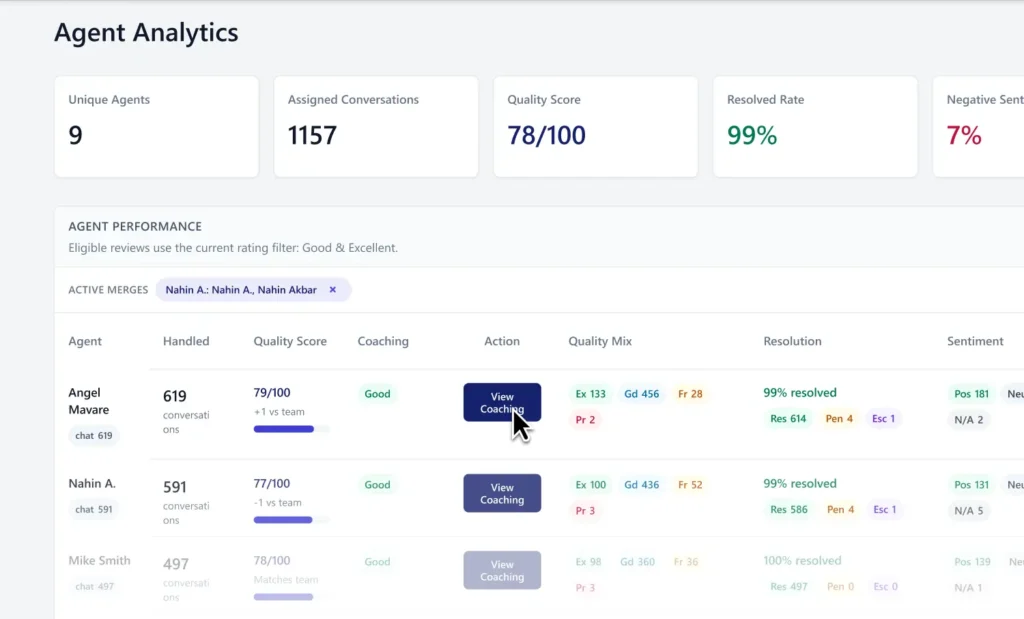
Agent Analytics now handles duplicate or inconsistent agent names more reliably. When agent names are merged, those merge groups persist, helping reports stay cleaner over time.
- Benefit: fewer duplicate agent records caused by name variations.
- Benefit: more trustworthy agent performance and coaching reports.
- Benefit: cleaner historical reporting when reviewing past conversations.
Real-world example: A SaaS support lead might see “Sarah,” “Sarah P.,” and “Sarah Parker” appear as separate agents in conversation analysis. Persistent merges help group those records correctly, so coaching decisions are based on the agent’s full performance history instead of fragmented data.
AI credit clarity for coaching and analysis
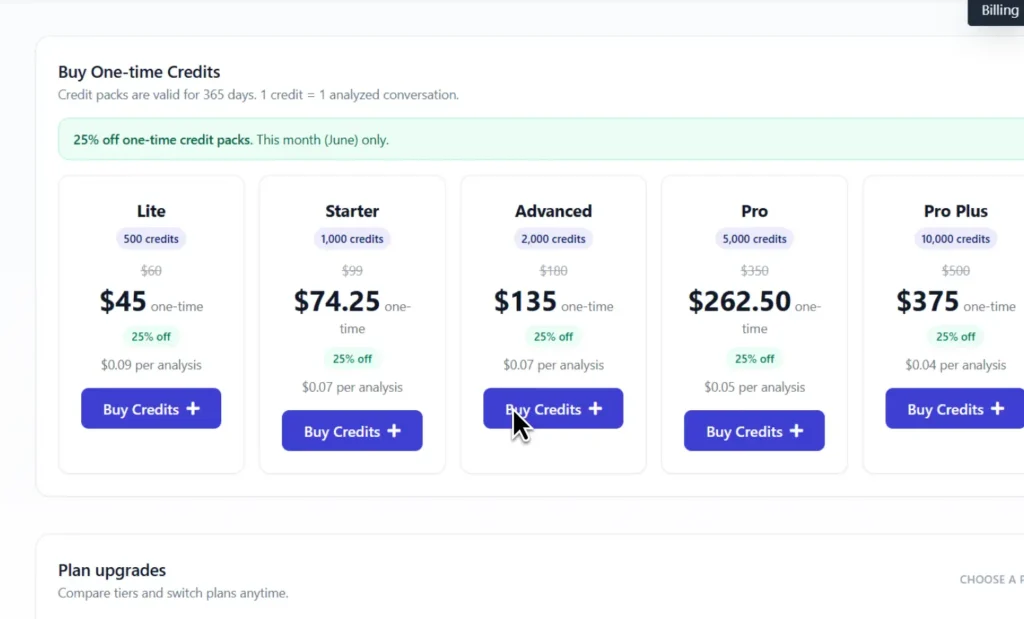
Credit usage has been tightened around AI-powered coaching plans and analysis requests. This helps teams understand when credits are used and reduces surprises when working across monthly credits and add-on credit packs.
Benefit: support leaders can budget analysis and coaching work more confidently during high-volume periods like product launches, sales campaigns, or seasonal support spikes.
Recent fixes and polish
- Fixed a Top 10 modal fallback issue where unrelated hard-coded issue text could appear.
- Cleared legacy AI tier settings so the new HDH model chooser applies correctly.
- Improved duplicate agent handling so name merges persist more reliably in Agent Analytics.
- Simplified Agent Coaching list entries and improved coaching table signal accuracy.
- Improved AI analysis progress reconciliation to reduce confusing or mismatched analysis states.
- Aligned older analysis behavior with HDH Standard quality for more consistent results.
See how Help Desk Hero can keep your conversation insights fresh automatically.

Hey, I’m Mike Belanger, a business enthusiast with over 15 years of experience in designing, web and app development, business management, digital marketing, customer psychology and optimizing businesses. I love making businesses grow and operate smoother.