SEO HERO AI Alt Text Generator
Product Update September 2026
-
 By
Mike
By
Mike
- Updated: October 10, 2026
- 15 min read
-
By
Mike
- Updated: October 10, 2026
- 15 min read
Less guesswork. More control over your image alt text.
Whether you’re preparing a new collection or managing thousands of product images, this month’s SEO HERO improvements help you find useful previews, follow scan progress, and preserve completed work when a bulk run is interrupted.
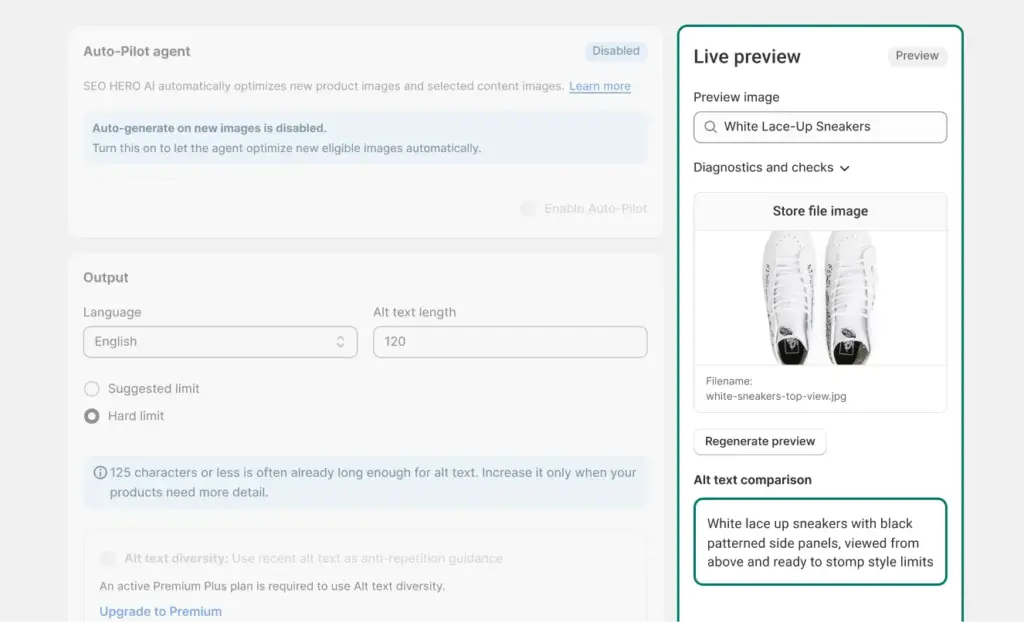
Find the image you want to preview
New feature: Searchable image previews in Settings make it easier to find an image for your Live Preview.
Why it matters: Review your alt-text settings with an image relevant to the products you’re working on, rather than spending time browsing for a suitable example.
For example: A fashion retailer preparing a footwear launch can find a shoe image to use when reviewing its alt-text configuration.
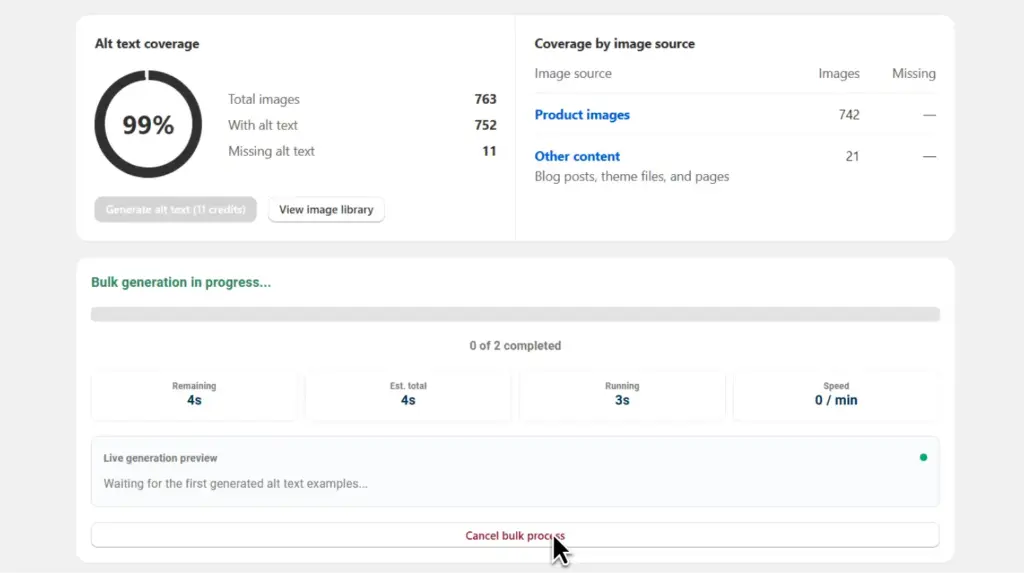
Keep confirmed work from interrupted bulk runs
New feature: Recovery for detected abandoned bulk runs lets you save Shopify-confirmed alt text before stopping the run. Reserved credits are settled against confirmed image updates.
Why it matters: An interrupted run doesn’t have to mean losing track of completed work. Recovery helps preserve confirmed results and reconcile the credits associated with them.
For example: If a homeware store’s bulk run stops midway through a seasonal catalog, the team can preserve confirmed alt text before deciding what still needs processing.
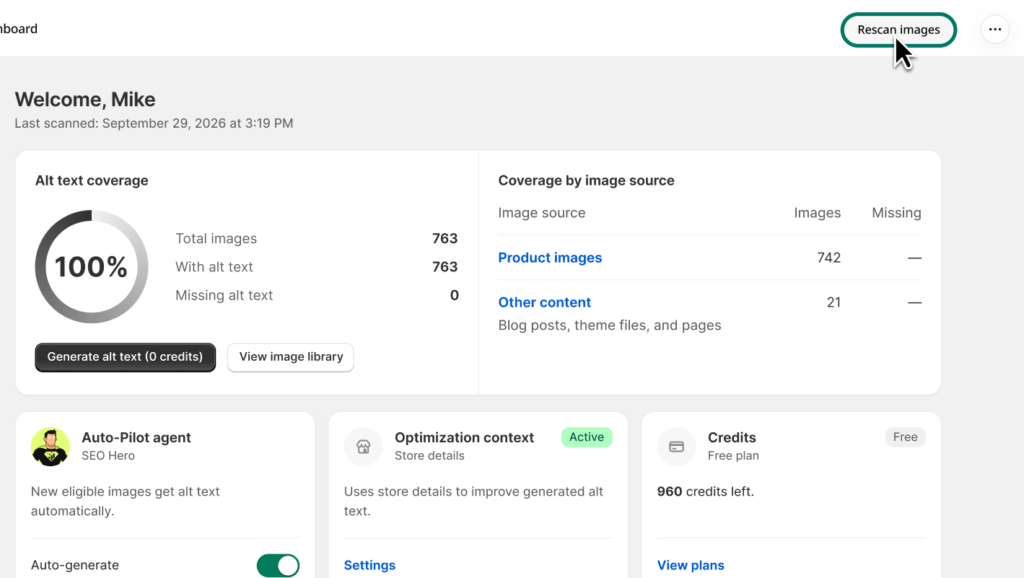
Get a clearer view of your catalog’s status
Improvement: A refreshed, responsive dashboard brings visible manual-scan progress and refresh status alongside the dashboard summary. Scan actions remain in Shopify’s native title bar.
Why it matters: See when a rescan is underway and understand the freshness of your results without guessing whether the app is still working.
For example: A beauty retailer adding a new skincare range can start a rescan and follow its progress while checking the catalog overview.
Navigate more naturally inside Shopify
Improvement: Inner-page titles now use Shopify’s native title bar, with parent breadcrumbs preserved for nested pages and redundant headers removed.
Why it matters: A more familiar navigation experience makes it easier to understand where you are and return to the parent page.
For example: An agency managing several apparel stores can move through nested app pages with clearer navigation cues during routine catalog reviews.
Recent fixes and polish
- Fixed purchase failures caused by long Shopify store domains.
- Repaired the post-purchase result-screen layout.
- Restored filtered image navigation from the dashboard and preserved embedded shop context.
- Reused automatic post-bulk scans to avoid redundant rescanning.
- Added actionable recovery notices when bulk processing cannot continue because scan data is unavailable.
- Restored credit-use receipt events and linked accounting follow-ups to their originating generation run.
Open SEO HERO from your Shopify admin to explore the refreshed dashboard and review your Live Preview settings.

Hey, I’m Mike Belanger, a business enthusiast with over 15 years of experience in designing, web and app development, business management, digital marketing, customer psychology and optimizing businesses. I love making businesses grow and operate smoother.