SEO HERO AI Alt Text Generator
Product Update May 2026
-
 By
Mike
By
Mike
- Updated: June 2, 2026
- 15 min read
-
By
Mike
- Updated: June 2, 2026
- 15 min read
Faster bulk alt text, live previews, and a smoother SEO workflow
This month, we focused on making SEO HERO: AI Alt Text Generator faster, clearer, and easier to trust when you are optimizing Shopify product images at scale.
Whether you are cleaning up missing alt text, preparing a seasonal launch, or improving accessibility across a large catalog, these updates are designed to help you move faster with more confidence.
What’s new
🔥 Faster bulk generation for larger paid-plan workflows
What changed: We added improved bulk AI processing for Premium-style bulk workflows, allowing SEO HERO to work through generation jobs more efficiently instead of treating every image as a strictly one-at-a-time process.
Why it matters: Large catalogs can take a long time to optimize. Faster bulk generation means less waiting and a quicker path to SEO-friendly, accessible product images.
👁️ Live alt text previews during bulk runs
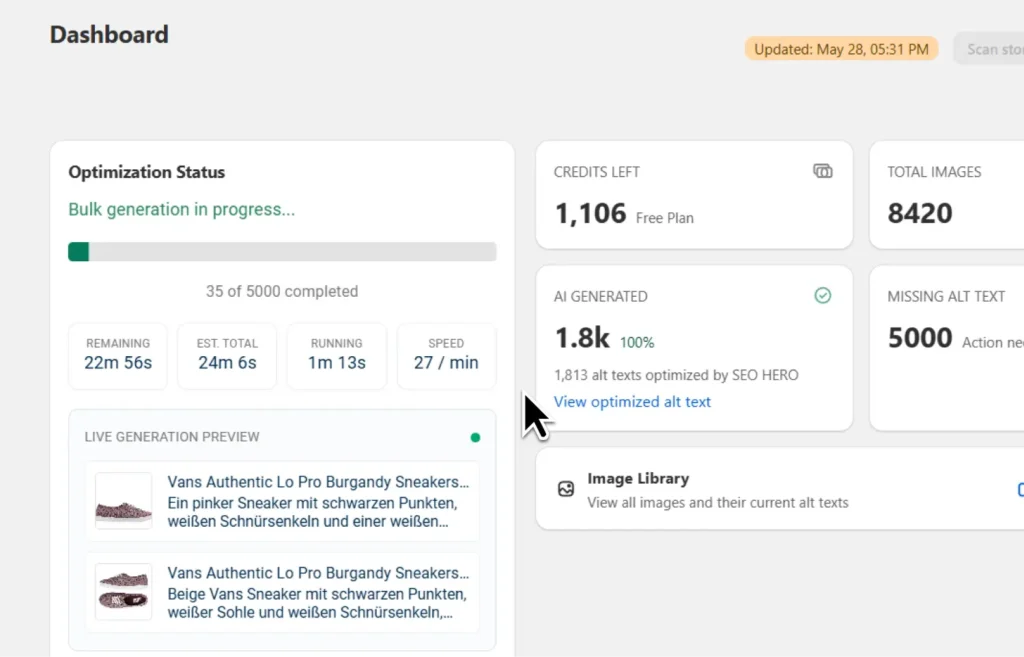
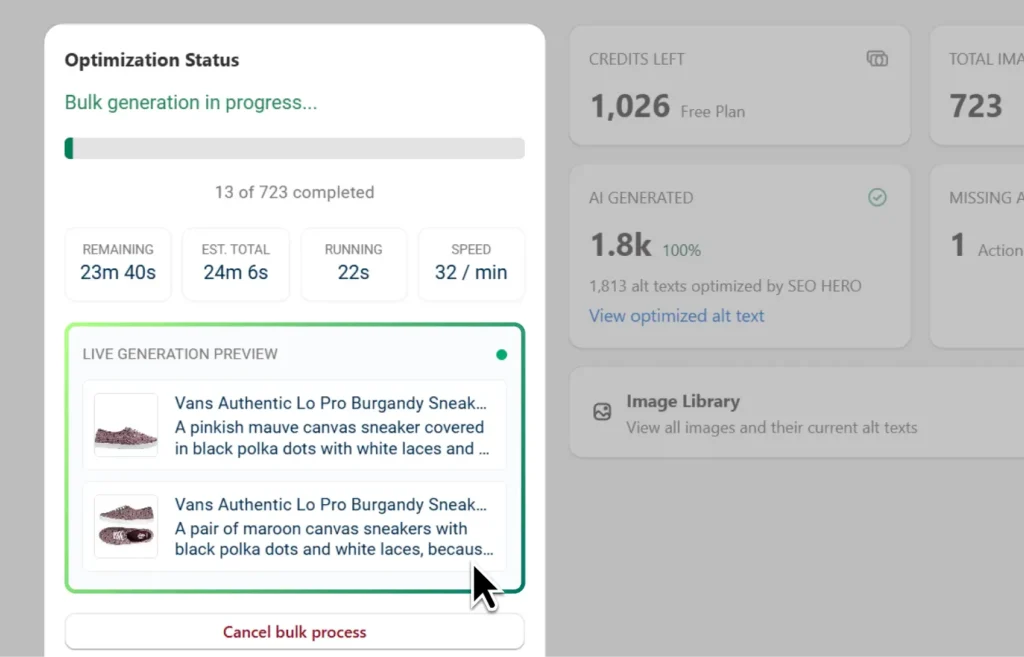
What changed: Bulk generation now includes live alt text previews, so you can see examples of generated alt text while the job is still running.
Why it matters: You get more confidence that your keywords, brand tone, and product details are being used correctly before the entire run finishes.
✅ Clearer bulk completion and Shopify sync guidance
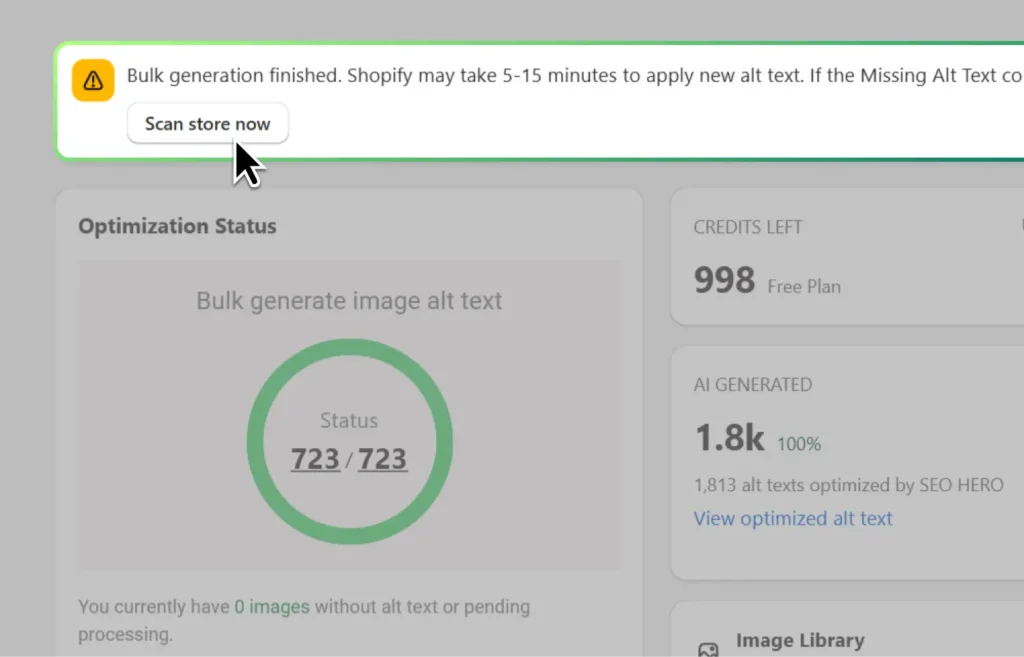
What changed: We improved the post-bulk experience with clearer guidance around Shopify sync timing, non-product images, and completed bulk jobs. SEO HERO also now tracks which images were changed during a bulk run to help refresh updated image data more intelligently.
Why it matters: After a big bulk update, it should be obvious what changed, what is still syncing, and when a rescan may be useful. This reduces confusion and helps prevent unnecessary repeat work.
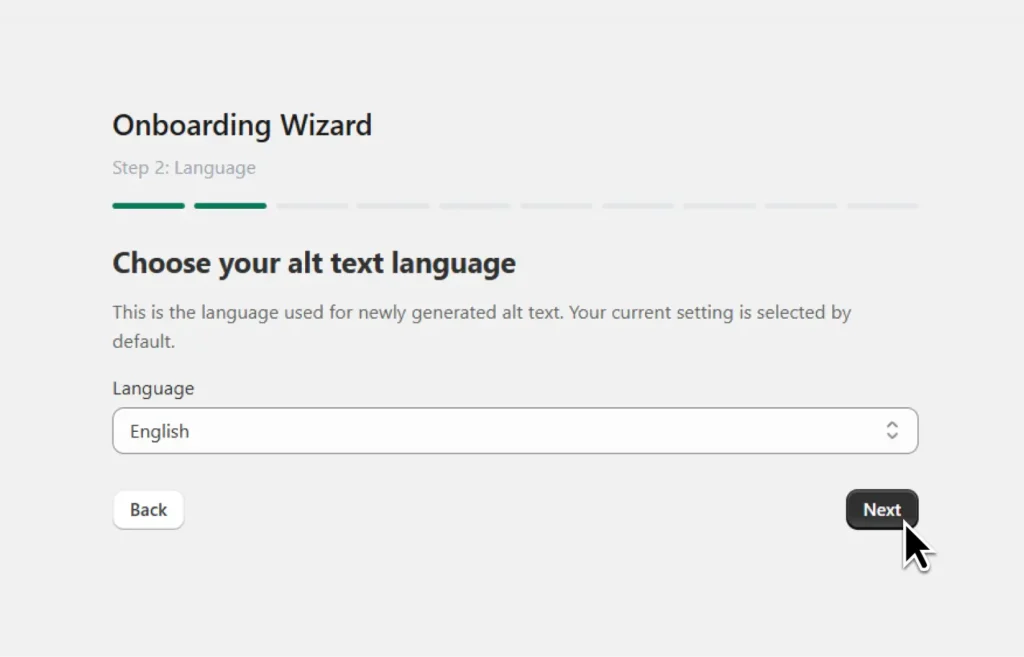
🧠 Smarter setup with language selection and feature voting
What changed: The setup wizard now includes a language step, plus clearer future-feature voting options with helpful tooltips.
Why it matters: Your store can start with the right language preferences earlier, helping your generated alt text better match your audience and SEO strategy. Feature voting also gives you a direct way to tell us what would help your store most.
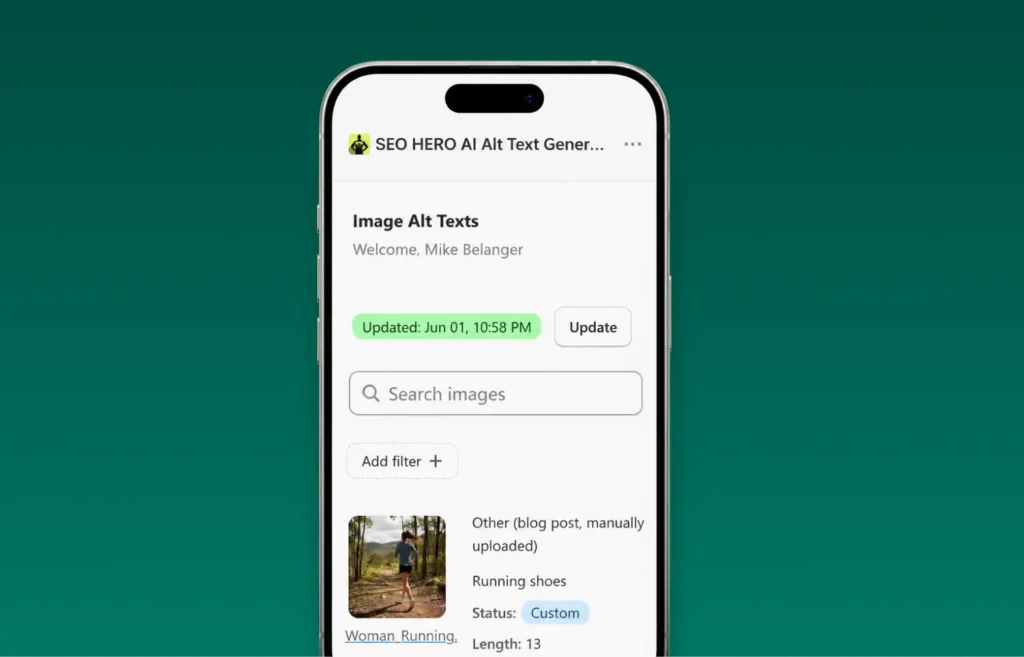
📱 Better mobile experience for managing image SEO
What changed: We improved the mobile layout for the images alt text table and refined the mobile layout of bulk-related emails.
Why it matters: Store owners often check Shopify from their phone. These improvements make it easier to review image status, monitor progress, and stay informed without needing a desktop.
Recent fixes and polish
- Fixed cases where bulk actions could ignore the active filtered selection when using “Select all matching.”
- Prevented duplicate bulk generation and repeated retries that could consume extra credits.
- Fixed cases where the “Generate Alt Text” button appeared disabled even when enough credits were available.
- Improved large manual selections so alt text generation starts more reliably.
- Fixed stale rescan results and improved scan behavior for larger stores.
- Fixed tooltip behavior that could get in the way when deleting brand or SEO keywords.
- Fixed pricing page crash issues and added stronger checkout flow testing for plan purchases.
- Improved handling of AutoPilot, webhook, and plan-related edge cases that could leave images without alt text or retry unnecessarily.
Open SEO HERO in Shopify and run a bulk alt text update, review live previews, or confirm your language settings.

Hey, I’m Mike Belanger, a business enthusiast with over 15 years of experience in designing, web and app development, business management, digital marketing, customer psychology and optimizing businesses. I love making businesses grow and operate smoother.